
Treat Weekly Cash Collection as an Operating Cadence, Not Just a Reminder Email
A weekly cadence turns accounts receivable from a list of unpaid invoices into a managed queue: every open balance has a status, a next action, an owner, and a Friday review point. Invoice creation asks for payment; payment processing records money received; collections follow-up starts when an invoice remains open after its due date.
For example, run the queue every Monday morning. Refresh invoice aging, exclude invoices marked paid, credited, disputed, or on hold, then rank the remaining balances using more than age: amount due, strategic-account status, prior late payments, and any service issue. A $250 invoice two days late is not necessarily the same work as a $12,000 balance from a repeat-late client.
- Load a clean queue with invoice number, balance, due date, payment status, account owner, last contact date, and exception flag.
- Send the appropriate reminder stage to eligible routine accounts: an initial courteous nudge, then a later follow-up only if payment or a response has not arrived.
- Create a staff call task for a high-value balance, a strategic account, repeated lateness, or a reminder sequence that has stalled.
- Stop standard outreach when an account reports a dispute, promise to pay, recent payment, service problem, or relationship-sensitive concern; route it to the person who can resolve it.
- Review payments received, messages sent, promises due, unresolved exceptions, and next owners at week’s end.
This structure applies automation to repetitive, routine work while preserving human judgment for exceptions where the customer relationship or outcome needs an owner.
Build One Reliable Weekly Collections Queue From Your Aging Data
The queue should begin as a single export of open invoices, not a collection of disconnected spreadsheet tabs. Pull the aging report after payment posting has been reconciled, so a payment received through a bank feed, card processor, or lockbox does not leave an invoice appearing collectible. Automated invoicing for service businesses supplies the invoice and due-date records; the collections queue adds the account context needed to choose an action.
Use one row per invoice, with account-level fields repeated on each row. Days past due measures lateness against the agreed payment terms, while balance measures cash exposure. Neither is sufficient alone: a 10-day-old large balance for a strategic customer with a failed card payment calls for different handling than a small, first-time late invoice with no warning signals.
- Invoice identity: invoice number, customer name, issue date, due date, open balance, currency, and days past due.
- Collection context: payment terms, billing contact and channel, assigned account owner, and strategic-account status.
- Payment behavior: prior late-payment pattern, last payment date, failed-payment indicator, and the most recent reminder or contact outcome.
- Exception status: dispute flag and reason, promise-to-pay date and amount, approved payment-plan status, credit or service hold, and a duplicate-invoice flag.
Apply suppression rules before any routine reminder is eligible to send. Exclude paid-but-unapplied invoices, active disputes, approved payment plans, duplicate invoices, and accounts with a documented service issue or relationship-sensitive hold. A promise to pay should also pause standard outreach until its promised date passes; otherwise, the customer receives an unnecessary nudge after making a specific commitment.
Make missing fields visible rather than letting the system guess. An invoice without an owner, valid contact, or exception status belongs in a data-correction queue, not an email sequence. The resulting weekly file becomes a dependable worklist: each remaining invoice has a current balance, a clear customer context, and an allowed next action.
Prioritize Overdue Accounts With Configurable Collection Rules
Assigning a priority label turns a clean worklist into a decision system. Use several signals together: balance shows cash exposure; days past due shows urgency; payment history indicates whether lateness is isolated or habitual; strategic status protects relationships; and a failed card charge or payment link points to a payment-friction problem that may be resolved quickly by a person.
- Routine: low-to-moderate balance, early overdue status, no repeat-late pattern, and no failed payment event. Keep these invoices in automated accounts receivable follow-up. The next action is a standard reminder with a prominent payment link.
- Watchlist: an invoice past an example 15-day threshold, a customer with two recent late payments, or an unanswered payment link. Continue automation, but add a review flag and shorten the time before escalation. This prevents a small balance from quietly becoming a chronic problem.
- Call now: a high-value invoice, a failed card payment on a material balance, repeated lateness, or an overdue balance for a strategic account. Create a task for the named account owner or collections lead, with the invoice amount, contact history, and a due date for the call. Human outreach can uncover a billing error, approval delay, or payment method issue that another email will not solve.
- Hold for resolution: any dispute, service complaint, promise to pay that is still current, or relationship-sensitive instruction. Remove it from the reminder path and give it an owner and a next-review date rather than allowing the system to keep chasing it.
Set the thresholds as configurable examples, not permanent rules. A $300 invoice that is 45 days late for the fourth time may belong in the call queue because it signals a recurring process failure. A $15,000 invoice that is five days late for a strategic client may also need account-owner attention, but with a service-oriented conversation rather than a hard collection demand. Calibrate “high-value” against average contract value, margin, payment terms, and the cost of straining the account.
Use a clear override order: resolution holds first, then call-now triggers, then watchlist rules, then routine automation. That order ensures automated customer follow-ups handle predictable cases while staff time goes to the invoices where judgment can change the outcome.
Automate a Reminder Sequence That Makes Paying Easy Without Damaging the Relationship
Make each routine message a service interaction, not merely a demand for money. An effective reminder cadence gives the customer the exact invoice reference, balance, due date, a prominent secure payment link, and a monitored reply path for a billing question. The link removes payment friction; the reply path surfaces an error or approval delay before silence turns into a relationship problem.
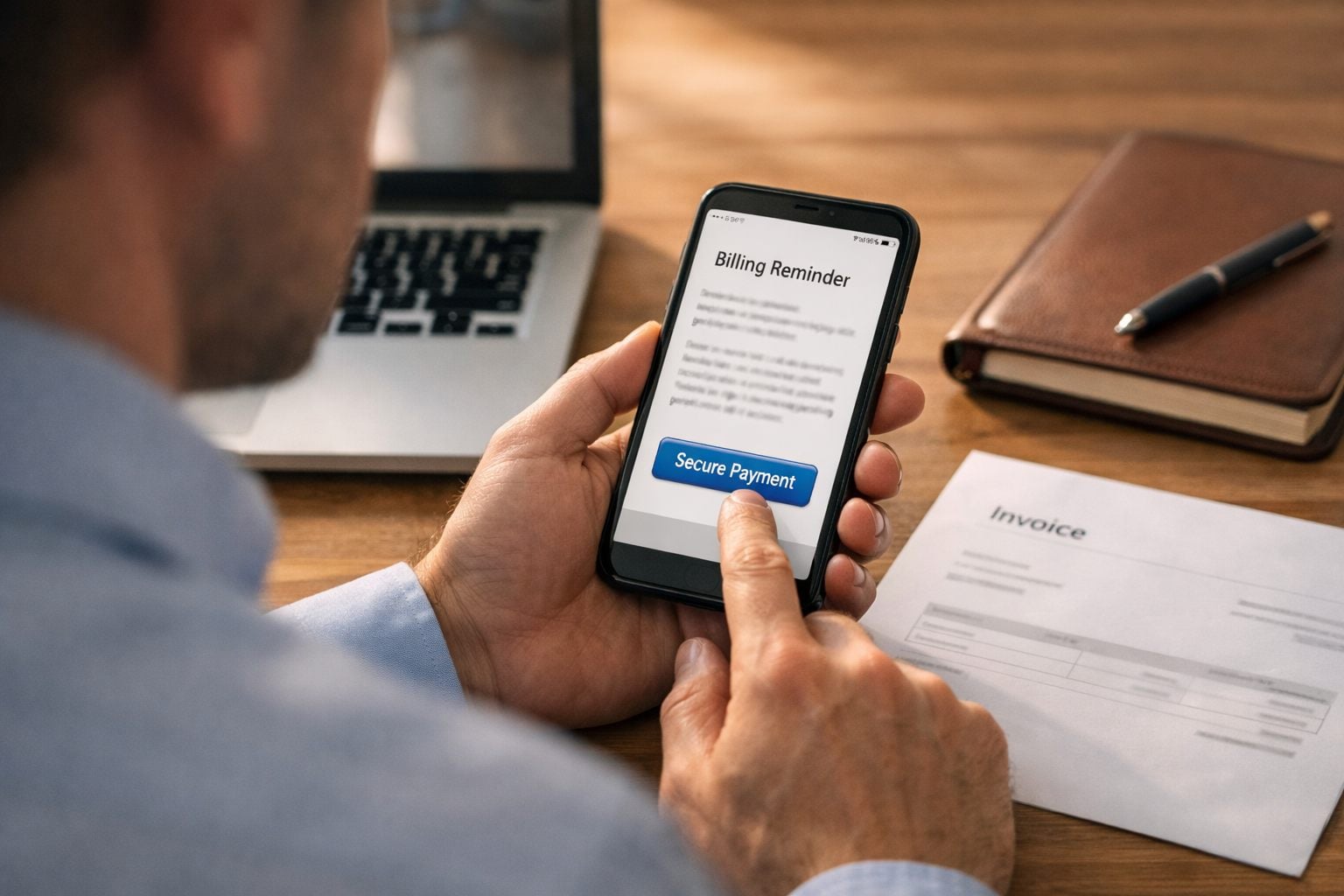
- Optional pre-due or due-date notice: Send this only where customers benefit from a prompt, such as recurring service arrangements or invoices requiring internal approval. Its intent is informational: restate the due date and payment options without implying delinquency.
- First past-due reminder: Trigger it when an eligible invoice first crosses the due date. Use email as the default channel and a neutral subject line such as “Invoice [number] is now due.” State the amount and include the one-click payment route.
- Follow-up reminder: Send after a configurable interval, for example, one weekly cycle later, when the balance remains open and no response is logged. Briefly note that payment may already be in process and invite the customer to reply with an expected payment date.
- Final automated notice: Send after the next configured interval, before the invoice moves to the staff escalation rules. Explain the next step plainly: “If payment or a reply is not received by [date], your account contact will follow up.” Avoid threats the team will not carry out.
Automated payment reminders need hard exit rules evaluated immediately before every send, not just when the sequence begins. Suppress the next message when the invoice is paid or credited, a current promise-to-pay date is recorded, a dispute or service issue is active, or the account has a communication preference that routes contact differently. A payment confirmation should replace the collection sequence: identify the invoice and amount received, provide a receipt or account link, and state any remaining balance.
Keep the cadence configurable by customer segment and payment terms. Three messages over several weeks may suit a routine monthly service invoice; a shorter path may be appropriate when a watchlist rule is already present. Log each send, delivery result, link click, reply, suppression reason, and sequence stage so staff can see whether automated customer follow-ups are helping customers pay or merely adding noise.
Escalate the Right Invoices to Staff Calls and Account-Owner Follow-Up
A staff call should begin where a personal conversation is more likely to change the result than another reminder. Configure a call trigger for a high-balance invoice, repeated lateness, a failed card or bank payment, two missed promised-payment dates, a strategic customer, or work scheduled soon that depends on resolving the account. These are illustrative rules: a $2,500 balance may warrant a call in one business, while another sets its threshold at $10,000. The point is to direct limited staff time toward cash exposure, relationship sensitivity, or an imminent operational decision.

Assign the task to accounts receivable when the issue is primarily payment friction or missing approval. Route it to the account owner when that person knows the customer’s stakeholders, service history, or unresolved concern. The account owner can preserve the relationship and uncover a service problem; AR keeps the discussion centered on a specific balance and payment commitment. Give the named owner a response deadline, such as the same business day for an upcoming service commitment and one business day for other call-now tasks.
Each automated call task should present the invoice number, open balance, due date, aging, payment link, billing contact and phone number, prior reminder dates and replies, previous payment behavior, account notes, scheduled work, and a suggested next action. AI automation for service businesses can summarize this context and draft concise call notes, but staff should decide whether to offer an exception or change service.
- Paid: record the payment reference and close the task.
- Promise to pay: capture a date and amount, then pause routine outreach until that date passes.
- Payment plan: record the agreed installments and route the account into its separate monitored schedule.
- Dispute: mark the invoice for resolution rather than continuing collections messages.
- Service-pause review or further escalation: send the decision to the authorized manager; do not let a workflow suspend service automatically.
A weak task says only “call customer.” A useful call task gives the owner enough context to make one clear request, log the outcome, and return the account to the correct workflow without duplicating outreach.
Route Disputes, Payment Plans, and Sensitive Accounts Out of the Standard Sequence
An invoice can remain open without being collectible through the standard sequence. The moment a customer raises an invoice dispute, for example, a questioned service charge, missing purchase order, or incomplete work, apply a Disputed, Hold status that blocks every scheduled reminder and call task. Record the reason, disputed amount, customer message, named resolver, and a resolution deadline. Send one acknowledgement confirming that billing follow-up is paused while the issue is reviewed; do not allow an automated collections workflow to send a conflicting payment demand.

- Payment plan: replace the original sequence with installment dates, amounts, and a plan owner. Send reminders only for an installment that becomes due or missed.
- Credit or partial payment pending: suppress messages for the amount under adjustment, retain the undisputed balance, and recalculate the open amount after posting.
- Contact or contract restriction: block disallowed channels or contacts and route communication to the approved account representative.
- Sensitive account or service-pause review: freeze routine outreach and require a manager decision; staff may recommend a pause, but the system must not impose one automatically.
At the deadline, the owner must log a decision: apply a credit and close the invoice, collect the agreed remainder, activate the payment plan, or return the undisputed balance to automated invoice follow-ups at the appropriate stage. If the invoice dispute remains unresolved, extend the hold with a new owner and date rather than letting it silently re-enter the queue. This preserves an audit trail and prevents a customer from receiving different answers from AR, operations, and the account owner.
Review Weekly Results and Improve the Collection Workflow
Reserve a short meeting each week for the owner of collections, AR, and any account managers with open exceptions. Review dollars collected; overdue dollars by aging band; reminder delivery, replies, and payment-link conversion; call tasks completed; promises kept; disputes opened and resolved; and accounts that repeatedly re-enter the queue. The last measure exposes a recurring problem rather than a single late payment.
- Weak signal: many delivered reminders but few link payments. Test a clearer payment path or different send time.
- Weak signal: call tasks remain incomplete. Reassign ownership, shorten the task deadline, or reduce the call-trigger volume.
- Weak signal: the same dispute reason repeats. Fix the upstream invoice, service-record, or approval bottleneck instead of increasing reminder pressure.
Change one rule at a time: for example, lower a call threshold for a limited high-value segment, then audit payments, replies, complaints, and unresolved work over several cycles before expanding it. Invoice collection automation should reduce manual triage and improve staff focus; measure that potential rather than assuming a savings or cash-flow outcome. Record each rule change, owner, date, and result so the workflow improves through controlled decisions, not guesswork.
Frequently Asked Questions
-
How often should a service business send overdue invoice reminders?
Run the collections queue every Monday and review results at the end of each week. For eligible routine invoices, send a first reminder when the invoice becomes past due, a follow-up about one weekly cycle later if it remains open, and a final automated notice after the next configured interval.
-
What should be automated in accounts receivable follow-up?
Automate aging-report refreshes, payment and exception suppression checks, routine reminder emails, payment links, reminder logging, and call-task creation. Keep disputes, current promises to pay, payment plans, service issues, and relationship-sensitive accounts out of the standard sequence.
-
How do you prioritize overdue invoices for collection follow-up?
Rank invoices using open balance, days past due, strategic-account status, prior late-payment patterns, failed payment events, and service issues. Apply holds first, then call-now triggers, then watchlist rules, and finally routine automation.
-
When should an overdue invoice be escalated to a phone call?
Create a staff call task for high-value balances, repeated lateness, a failed card or bank payment, two missed promised-payment dates, strategic accounts, or scheduled work that depends on payment resolution. The task should include the invoice number, balance, due date, contact history, payment link, account notes, and a response deadline.
-
How should you handle an invoice dispute in an automated reminder workflow?
Immediately mark the invoice as Disputed, Hold to block all scheduled reminders and call tasks. Record the dispute reason, disputed amount, customer message, resolver, and resolution deadline, then send one acknowledgement that billing follow-up is paused.