
Treat After-Hours Lead Capture as a Workflow, Not a Missed-Call Text
Start by deciding where every overnight inquiry will land. A voicemail, web form, website chat, and social direct message may begin in different systems, but each should enter the same intake and decision process; otherwise, ownership can disappear between inboxes.
AI lead response automation can support that process, but it is only the intake layer. An immediate acknowledgment confirms receipt and sets a realistic reply expectation; it does not promise a technician, callback, or appointment. “We received your request and will review it by 8:30 a.m.” is useful. “You’re booked” is not unless capacity and eligibility are established.
- Capture the customer’s name, return contact, service address or area, requested service, urgency description, and lead source.
- Assign a next action: next-business-day follow-up, scheduling review, on-call notification, or a request for missing details.
- Name an owner, not a team label, and define an escalation path for urgent, out-of-area, incomplete, and duplicate inquiries.
A routine form inquiry can wait in the morning queue; a message matching an approved on-call condition goes to the designated person; an out-of-area request receives a clear decline rather than silent backlog. The finished workflow produces a complete lead record, a next action, a named owner, and a path for exceptions, making handoffs visible and response performance measurable.
Step 1: Send Every Channel Into One Intake Record
Build a channel inventory before connecting automations: list every published phone number, voicemail box, form endpoint, chat widget, social direct-message inbox, and any email address actively monitored for new work. For each, record its destination, owner, and connection method. An unconnected source is an unmanaged exception, not a dependable after-hours entry point.
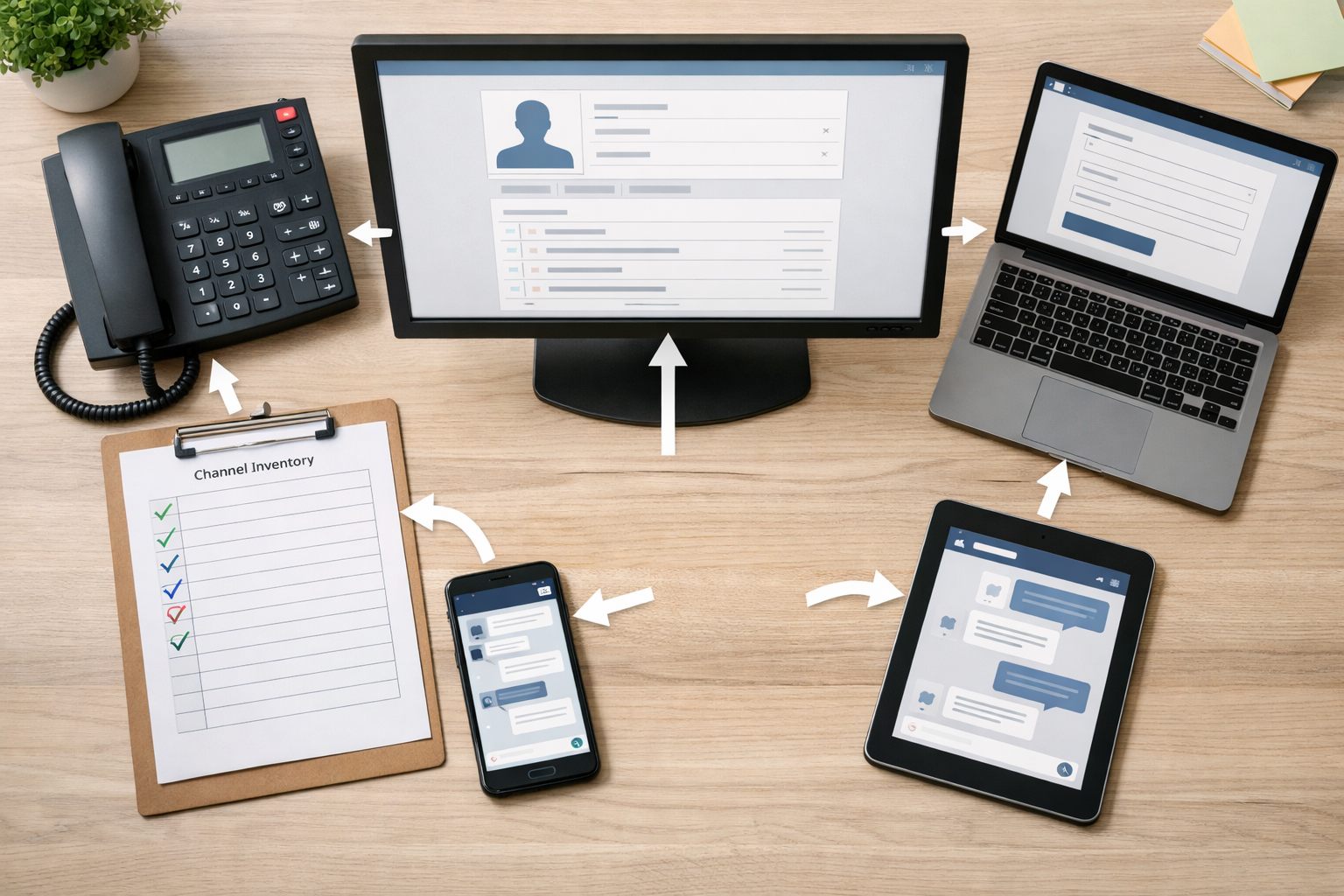
Create one CRM record or shared intake-queue item for each new inquiry. Make these fields required whenever the channel supplies them: source, received timestamp, contact name and return details, consent status, service address or ZIP code, requested service, the customer’s message, and a conversation link or call-recording reference. Location establishes service-area fit, while the service request and original message preserve the facts needed for later decisions. Do not block record creation because a caller omitted a ZIP code or a social message says only, “Need help.”
- Required for the record: source, timestamp, available contact details, and the untouched original message or transcript.
- Collected when available: address or ZIP, requested service, preferred contact method, photos, and appointment preferences.
Preserve channel context rather than forcing every inquiry through the same customer-facing intake form. A voicemail automation can attach its audio reference and transcript; a Facebook or Instagram message can retain the thread link and sender handle. If that person later submits a form, link the interaction after a deliberate duplicate review, do not replace the earlier message with cleaner fields.
Use workflow automation for small business to map source-specific data into common field names while retaining the raw payload in the activity timeline. A useful record shows both “website chat” and the exact exchange; a weak one reduces it to “plumbing lead,” leaving the assigned owner without the customer’s actual request.
Step 2: Send an Immediate Acknowledgment With Accurate Expectations
The first reply is an acknowledgment, not a dispatch decision. Its job is to tell the customer that their message reached the business, name the business, state what will happen next and when, and offer one safe action they can take now. Use the same core content for phone, web, chat, and social inquiries, but reply in the channel the customer used when possible.
Set a response SLA: an internal service-level target for the next meaningful human action. For example, a routine request received after closing might promise “by 9:00 a.m. the next business day,” while a request that matches your staffed on-call criteria can promise “an on-call coordinator will review this within 30 minutes.” These are adaptable operating targets, not promises to send a technician.
- Routine service: “Thanks for contacting Acme Heating. We received your request and will review it by 9:00 a.m. tomorrow. Reply with your ZIP code if you have not already shared it.”
- Appointment request: “We received your appointment request. A team member will contact you during the next business window to discuss available times. What day is best for you?”
- Outside business hours: “Our office is currently closed. Your message is in our queue, and we will respond by [time]. If you are requesting on-call service, reply with your address and a brief description of the issue.”
Ask only one or two questions that change the next action, such as ZIP code and service type. Automated customer follow-ups should never claim a confirmed arrival time, price, open appointment, or emergency coverage unless the workflow has verified that commitment. “A technician is on the way” is misleading when the record has only been created; “we received your request and will review it by [time]” is accurate and actionable.
Step 3: Collect the Minimum Details Needed to Qualify and Route the Lead
Qualification should produce a next-action label, not a diagnosis or a forced booking. Build the intake around the smallest set of details that distinguishes a viable routine request from an on-call candidate, an unsupported request, or a record that needs a person to clarify it.
| Field | What it changes |
|---|---|
| Job type | Matches the inquiry to a service line, such as repair, maintenance, estimate, or new installation. |
| Service area | Determines whether the address or ZIP code belongs in the service queue. |
| Urgency | Separates routine work from conditions your business has defined for on-call review. |
| Property type | Distinguishes residential, commercial, tenant-occupied, or managed-property work when staffing or approval paths differ. |
| Contact and availability | Gives the assigned owner a usable return channel and a realistic time to reach the customer. |
| Details and photos | Adds context for review without treating images or descriptions as a diagnosis. |
Use conditional questions to keep the exchange short. A homeowner selecting “repair” can be asked, “What is happening, and what is your ZIP code?” A property manager can instead be asked for the property address, unit or common-area location, and whether site access requires coordination. Ask for photos only when they would help the later review; do not make them a barrier to submitting a request.
AI automation for service businesses can summarize a voicemail or chat, classify the stated job type, and request a missing ZIP code or preferred callback time. It should not decide what caused a problem, quote work, or assure the customer that a particular service is appropriate. Mark unclear descriptions, conflicting addresses, requests outside normal service categories, and any high-risk or ambiguous situation for human review rather than continuing an automated conversation.
A strong record might read: “Commercial maintenance request; 33701; callback preferred; available after 8 a.m.; photo attached.” A weak record says only “urgent, please call.” The first gives the next owner enough context to act; the second should trigger a focused follow-up for the missing routing facts.
Step 4: Route by Urgency, Fit, and Ownership, and Escalate Safely
Routing begins only after the record has enough information to make a defensible next-action choice. Use a small set of mutually exclusive pipeline stages, such as routine follow-up, appointment review, on-call review, unsupported, and needs clarification, so every lead has both a visible status and a named owner.

| If the intake shows… | Then do this | Owner and target |
|---|---|---|
| In-area, supported routine work | Create a CRM task and place it in the next-business-day queue. | Assigned coordinator; meaningful follow-up by the next business opening. |
| Supported request with a complete appointment preference | Move to appointment review; offer a slot only when availability is actually connected to the workflow. | Scheduler or dispatcher; review within the business-approved window. |
| Outside the service area or outside offered services | Apply the unsupported stage and send a clear, courteous closeout rather than leaving it unassigned. | Automation may close the loop; retain the record for reporting. |
| Missing ZIP, job type, callback method, or conflicting details | Apply needs clarification and ask one focused follow-up question. | Queue owner; adaptable target: first review by the next business opening. |
| Recognized repeat or priority account | Apply the account flag and route to its designated relationship owner. | Named account owner, with a backup owner if unavailable. |
An emergency request is not simply a customer selecting “urgent.” Define business-approved triggers from the words, job types, locations, and coverage rules your team can handle. Safety-sensitive language, an unclear high-risk description, or a no-match classification must stop automation and create a human-review alert. Automation does not replace emergency services or human judgment; its message should direct the customer to seek appropriate immediate help where the situation calls for it.
Notify an on-call technician or dispatcher only when an active coverage schedule exists. Set an adaptable acknowledgment deadline, for example, five minutes for the first alert, and a fallback rule: if the primary owner does not acknowledge, notify the backup dispatcher, then the manager on duty. A routine HVAC inquiry can wait in the morning queue; an approved after-hours outage goes to on-call review; a request for an unsupported service receives a closeout. This is automated lead routing for service businesses with an accountable human at every exception.
Step 5: Add Follow-Ups, Failure Handling, and Guardrails
Acknowledgment is only the first controlled event. Build automated customer follow-ups around the record’s stage: for needs clarification, send one focused reminder if the customer does not answer, then leave the record for next-business-day review; for a qualified routine lead, create a callback task for opening time; and for an appointment request, mark it pending confirmation until a person or connected calendar confirms the slot. Stop the sequence immediately when the customer replies, declines, books, opts out, or the lead is closed.
Use adaptable operating targets rather than a long nurture stream: one clarification reminder after a few hours, a human callback attempt at the next business opening, and one final follow-up if no contact is made. A reminder that asks for a ZIP code is normal lead recovery. An alert that no owner accepted an on-call page is an operational failure and must escalate to the backup owner or manager.
- Duplicate record: match phone, email, and recent conversation before creating a second task; merge the new channel activity into the existing record.
- Integration or delivery failure: create an exception task when the CRM write fails or a message is undelivered; do not treat a sent request as a delivered acknowledgment.
- Uncertain AI result or unavailable on-call staff: stop automated conclusions, retain the request in a human-review queue, and record each failed escalation attempt.
- Reply on another channel: attach the new message to the original lead and pause all pending outbound messages.
For every handoff, retain the transcript or voicemail, channel, timestamps, intake answers, classification, messages sent, promises made, assigned owner, and next due action. Send text or other direct-message follow-ups only through a consent-aware workflow; honor opt-out requests immediately and suppress further automated messaging through that channel. This gives the next employee context to continue the conversation rather than restart it.
Step 6: Test the Workflow Before Launch and Improve It From Real Lead Data
A workflow is ready to launch only after it survives a realistic after-hours rehearsal. Map the current path first, then configure the simplest viable version: one intake queue, acknowledgment, qualification prompts, routing rule, owner alert, and fallback task. Train each owner on the action they must accept, update, or escalate.

- Submit a voicemail, web form, website chat, and social direct message after hours. For each, confirm that one record contains the source, contact details, message, timestamp, and next owner.
- Test routine, urgent, out-of-area, incomplete, and duplicate scenarios. A good result assigns the intended stage and owner; a weak result creates an unowned record, duplicate task, or promise no one can fulfill.
- Have the primary owner ignore an on-call alert to prove the backup escalation works, then confirm that all customer-facing messages stop when a test lead replies.
Review the dashboard weekly: capture rate by source, time to acknowledgment, time to human contact, qualification completion, assignment failures, escalation response, booked-job rate, and lost-lead reason. If web leads lack ZIP codes, shorten that form; if social messages stall, assign a clearer inbox owner; if pages go unanswered, change coverage rather than tightening the response SLA.
The strongest automated lead capture workflow makes only the promises that current staffing, on-call coverage, and service capacity can keep.
Frequently Asked Questions
-
Is missed-call texting enough for after-hours lead capture?
No. Effective after-hours lead capture sends voicemail, web forms, chat, social messages, and other inquiries into one intake process with a complete record, next action, named owner, and exception path.
-
What should an after-hours lead response message say?
It should confirm receipt, identify the business, state when a meaningful response will occur, and ask for one useful missing detail if needed. For example: “We received your request and will review it by 9:00 a.m. tomorrow. Reply with your ZIP code if you have not already shared it.”
-
What information should an after-hours service lead intake workflow collect?
Capture the source, received timestamp, available contact details, and the customer’s original message or transcript for every record. Collect the address or ZIP code, requested service, preferred contact method, availability, photos, and appointment preferences when available.
-
Which after-hours service inquiries should be escalated to a human?
Escalate requests that match approved on-call criteria, contain safety-sensitive or high-risk language, have conflicting details, fall outside normal service categories, or produce an uncertain AI classification. An on-call alert should use a fallback sequence, such as notifying a backup dispatcher and then the manager on duty if the primary owner does not acknowledge within five minutes.
-
How do you choose the right routing rules for after-hours service leads?
Route leads using mutually exclusive stages such as routine follow-up, appointment review, on-call review, unsupported, and needs clarification. Choose rules based on service-area fit, supported job type, urgency, account priority, and whether a named owner and active on-call coverage are available.