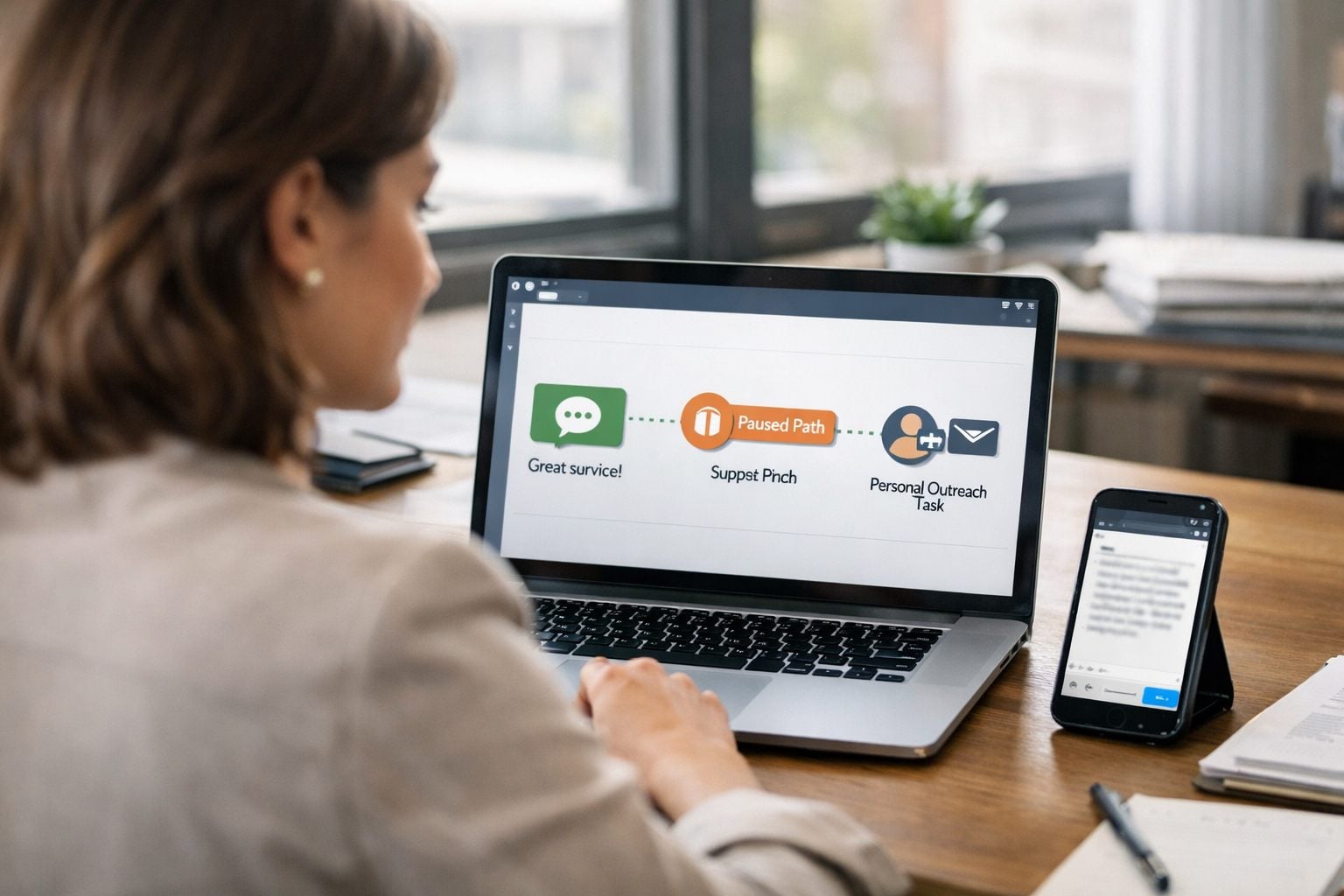
Automate Referral Requests as a Trust-Based Workflow, Not a Blast Campaign
Automated referral requests are a controlled customer referral workflow, not a volume campaign. A referral ask invites a customer to introduce someone they know; a review ask seeks public feedback. Keep those goals separate: referrals need a personal, low-pressure recommendation, while reviews measure visible sentiment.
Start only after trust is evident: a homeowner praises a completed repair, a client reports that a project achieved its goal, or a repeat customer renews after a smooth service experience. Payment received, an appointment marked complete, or a ticket closed without customer confirmation are weak signals. Automation can make follow-up more consistent and reduce missed handoffs, but it cannot create goodwill or guarantee a referral.
- Detect a credible positive moment, then screen out customers with unresolved concerns or recent outreach.
- Send a brief optional request through the customer’s preferred channel.
- Give the customer an easy way to share contact details or forward an introduction.
- Attach the referrer and trigger to the new lead, route it to an owner, and record the outcome.
Measure more than submissions: track eligible customers reached, introductions received, response speed, qualified opportunities, and closed revenue. Those measures show whether automated customer follow-ups are producing reliable handoffs rather than merely more messages.
Keep Referral Requests Separate From Review Requests
One database can power two distinct paths, but the records, links, and reporting must not merge.
| Workflow | Customer action | Destination and measurement |
|---|---|---|
| Review campaign | Publish feedback | A public review profile; track review completion, rating, and published feedback. |
| Referral workflow | Introduce or recommend the business to a qualified prospect | A referral form, introduction reply, or share page; track referred contacts, qualification, opportunities, and revenue. |
Use different triggers and language. “Would you leave us a five-star review?” belongs in a review campaign; it should not become a referral ask. A referral message can instead name the type of person the business helps and offer a simple path: “If someone you know needs help with a similar repair, you can introduce us here.”
In the CRM, store review status separately from referral source, referrer, referred-contact status, and outcome. A review link can attribute a completed post to the customer who received it; a referral workflow must connect two people and preserve the originating trigger. This distinction keeps reporting useful: public sentiment is not a qualified lead pipeline.
Choose Positive Trigger Moments and Build Eligibility Checks
Start the automation only when the record contains affirmative evidence of a good outcome, not merely an administrative completion. A strong customer satisfaction signal is a post-service survey response at or above the threshold you set, an email or call note containing explicit praise, or a project marked complete with the client’s approval. In recurring services, a second purchase, renewal, or documented milestone achievement can qualify when it reflects continued confidence rather than an automatic renewal.

Choose the trigger event to fit the service. A home-service company might use “job complete + customer approves work” or a high satisfaction response; an accounting firm might use “tax filing delivered + client confirms resolution”; a property manager might use “lease renewal signed” after a positive owner interaction. Payment received, an appointment marked complete, or a support ticket closed are weak proxy signals: each records a process state, not a customer’s willingness to recommend.
Use a two-part rule: a positive event opens the workflow, then eligibility checks decide whether it can proceed. For example: send only if satisfaction score meets the chosen threshold or praise is recorded; service completion is confirmed; the account is active and in good standing; the relationship has passed a minimum age; and no referral request has been sent within the selected contact-limit period. These controls prevent a single upbeat note from overriding an incomplete job, a new relationship, or excessive outreach.
- Resolved-issue path: require the customer to confirm that the recovery worked before treating the interaction as eligible.
- AI-assisted note review: allow a model to label praise or positive sentiment, but route low-confidence classifications and mixed comments to a team member rather than sending automatically.
- Decision record: save the trigger, satisfaction field, eligibility results, and exclusion reason so operations staff can audit why a customer did or did not enter the workflow.
This structure makes automated referral requests responsive to the customer journey while keeping the decision reproducible for the team that owns follow-up.
Build the Referral Automation: Trigger, Delay, Branch, Send, and Log
Turn the eligibility decision into a visible sequence with named exits, so a coordinator can see whether a customer was sent, paused, suppressed, or assigned to a person.
- Enter on the approved workflow trigger. When the CRM receives the qualifying survey score, approval flag, or praise record, create a referral-workflow entry with a unique ID. Copy the decision fields: satisfaction status, eligibility status, account owner, customer segment, preferred channel, last referral ask date, and open-service flag. The workflow trigger opens the sequence; it does not send a message by itself.
- Apply a purposeful delay. Keep the record in a waiting state while the customer has time to experience the outcome. Choose the delay from the business’s documented follow-up policy and the customer’s expected results checkpoint. For work whose value appears later, wait for that checkpoint rather than using project completion alone.
- Revalidate, then branch. Run the eligibility fields again immediately before sending. If a complaint, active case, opt-out, recent-message limit, or changed satisfaction status appears during the wait, stop the path and log the suppression reason. Mixed sentiment, a high-value account, or a customer with a dedicated relationship manager should create an internal task for that owner. Human review changes the next step from an automatic ask to a considered personal decision.
- Select the delivery path. Use the recorded channel preference first. Email can carry context and a shareable link; text is a shorter path for customers who have chosen that channel; an account-owner task is the relationship-led option. Segment changes the routing and framing: a homeowner can receive a simple share link, while a commercial client may be routed to an owner for a peer introduction request. This is workflow automation for small business as controlled routing, not multichannel repetition.
- Send and create the referral record. Before delivery, generate a unique referral link or code tied to the customer record, trigger type, campaign version, and send date. Log the message ID, channel, timestamp, link identifier, workflow status, and next review date. If the link cannot be generated or the record lacks an owner, do not send; assign a repair task to the operations owner instead.
Keep outcomes explicit: sent means delivery was attempted; waiting means a timed checkpoint remains; suppressed means no outreach is permitted; and human review means an assigned person owns the next move. Clear statuses reduce missed handoffs and give the team an auditable operating record.
Write a Human Referral Ask and Make Referral Capture Frictionless
The message should sound like a person noticed a specific success, not like a campaign found a name. Keep referral request automation to four parts: gratitude, the outcome that prompted the note, permission to decline, and one easy action. Name the kind of introduction that would be useful rather than asking whether the customer “knows anyone.”

For example: “Hi Maya, thank you for the feedback after your kitchen repair. If you know a neighbor who needs dependable plumbing help, would you feel comfortable sharing our link? No pressure at all.” The positive context makes the request credible; “no pressure” preserves the customer’s choice; and “a neighbor who needs dependable plumbing help” gives them a concrete person to picture.
- Email: Use a recognizable sender, a short subject line, the personalized context, and one primary button. A shareable referral link lets the customer forward a pre-attributed page without disclosing anyone else’s details. Build the template with a visible unsubscribe route and honor that preference in the workflow.
- Text: Send only on the customer’s stated preferred and permitted channel. Keep it to one thought and one link: “Thanks again for your kind feedback, Maya. If a neighbor needs plumbing help, you can share this link: [link]. Reply STOP to opt out.” Do not add a second ask or a long explanation.
Offer a second path for customers who want to make a direct introduction: a referral landing page or short form. Ask for the referrer’s name, the prospect’s name, preferred contact method, a brief need, and permission confirmation such as, “I have permission to share these details.” Preserve the hidden link or code, trigger ID, and campaign version automatically. The forwardable link minimizes effort; the form creates a warmer handoff when the customer has consent to introduce the contact.
Track the Referral From Share to Qualified Opportunity
A referral becomes operationally useful only when its origin and progress remain connected. Create one referral record in the CRM that links the referrer, the share link or submitted form, the original campaign and positive-interaction trigger, the referred prospect, and the eventual deal. Store dates for submission, first response, qualification, and close, plus a clear source label such as “Maya, kitchen-repair referral,” rather than a generic “word of mouth.”

- Submitted: capture the introduction and send the referrer a brief acknowledgment when appropriate: “Thanks, Maya, we received it.”
- Routed: assign one named owner and create a first-contact task. A warm introduction may call for a personal reply; a shared link without contact permission may only identify an interested visitor.
- Contacted and qualified: record whether the prospect fits your defined service area, need, budget, and timing. A submitted name is a referred lead, not a qualified opportunity.
- Open, closed-won, or closed-lost: connect the sales outcome and revenue back to the originating referral record.
Automated referral follow-up should alert the owner when a task is overdue and prevent silent handoffs. Report eligible customers, requests sent, shares, referred leads, qualification rate, conversion rate, and referral revenue. Close the loop with the referrer at a privacy-safe level, “Thanks again; we connected with them” or “We appreciate the introduction”, without revealing the prospect’s service, decision, or personal details.
Protect the Customer Experience With Suppression Rules and Ongoing Testing
Make suppression a hard stop, not a delay that quietly expires. A suppression rule removes a customer from the send queue when the relationship needs attention or the contact should not receive that channel.
- Service: suppress open complaints, low satisfaction responses, active support cases, unresolved service recovery, and payment disputes. A ticket marked closed is weak evidence; a confirmed resolution and later positive feedback are safer signals.
- Communication and consent: suppress opted-out contacts, records without the permission your program requires for the selected channel, and customers whose stated channel preference differs from the planned send.
- Frequency and timing: block a second referral ask after a recent request, during an active sales or collections conversation, or at an unsuitable local send time. As a best-practice starting point, allow one ask per customer per 90 days and reset the cooldown after any new request.
Review results monthly. Test one meaningful variable at a time, such as a seven-day versus 14-day delay, email versus a preferred channel, or narrower satisfaction criteria, while retaining a control group. Keep frequency caps fixed during the test, and stop a variant if complaints, unsubscribes, or negative replies rise.
Frequently Asked Questions
-
What is the difference between a referral request and a review request?
A referral request asks a customer to introduce or recommend the business to a qualified prospect, while a review request asks for public feedback. Referral workflows track referred contacts, qualification, opportunities, and revenue, whereas review campaigns track completion, ratings, and published feedback.
-
When should you ask a customer for a referral?
Ask after credible evidence of a positive outcome, such as a high satisfaction survey score, explicit praise, confirmed project approval, or a meaningful renewal. Do not trigger an ask solely from payment received, an appointment marked complete, or a closed support ticket.
-
How do you automate referral requests without sounding robotic?
Use a short message that mentions the customer’s specific positive outcome, expresses gratitude, gives permission to decline, and includes one easy action. For example, ask whether they would share a link with a neighbor who needs similar help, rather than broadly asking if they know anyone.
-
What suppression rules should a referral automation include?
Suppress customers with open complaints, low satisfaction, active support cases, unresolved recovery, payment disputes, opt-outs, missing channel permission, or a mismatched channel preference. Use a frequency cap of one referral ask per customer every 90 days and block requests during active sales or collections conversations.
-
Can you send automated referral requests by text message or email?
Yes, but use the customer’s recorded preferred and permitted channel. Email can include personalized context and a shareable referral link, while text should contain one brief thought, one link, and a clear opt-out instruction such as Reply STOP to opt out.