
Treat Renewal Reminders as a Workflow, Not Just an Email Sequence
Build the system as a renewal reminder workflow: a connected sequence of renewal data, account segments, messages, assigned work, and recorded outcomes. Do not treat a sent email as a completed renewal process; require a named owner and a recorded customer decision.
Start each account from a renewal or contract-end date, then classify it by value, approval requirement, service complexity, payment status, and engagement or risk signals. Send the matching notice, create a follow-up task when a response is required, and end the path with a status such as renewed, declined, pending, or escalated. Route a missing date, blank owner, or unanswered response to an exception queue with a deadline.
Match the path to the renewal motion. A subscription or maintenance plan that continues unless cancelled can receive routine notices and payment prompts. A recurring agreement with unchanged terms may need a lighter-touch sequence. A retainer, customized agreement, or contract requiring active approval needs earlier outreach and a decision-tracking task because the customer must authorize the next term.
Use automation for enrollment, reminders, response capture, and task creation. Assign strategic, high-value, at-risk, disputed, nonstandard, unresponsive, or cancellation-requesting accounts to a person who can resolve context and negotiate next steps. This human-in-the-loop design lets you automate recurring service renewal reminders without leaving important decisions unattended.
Step 1: Create a Renewal-Ready Customer Record
Make one customer record the enrollment gate: if it is incomplete, it cannot enter a reminder sequence. Choose a single source of truth, a CRM, service-management platform, or connected database, and have every workflow read renewal fields from that location. A weak setup copies dates among a spreadsheet, accounting system, and inbox; a usable setup identifies one record ID and writes status changes back to it.
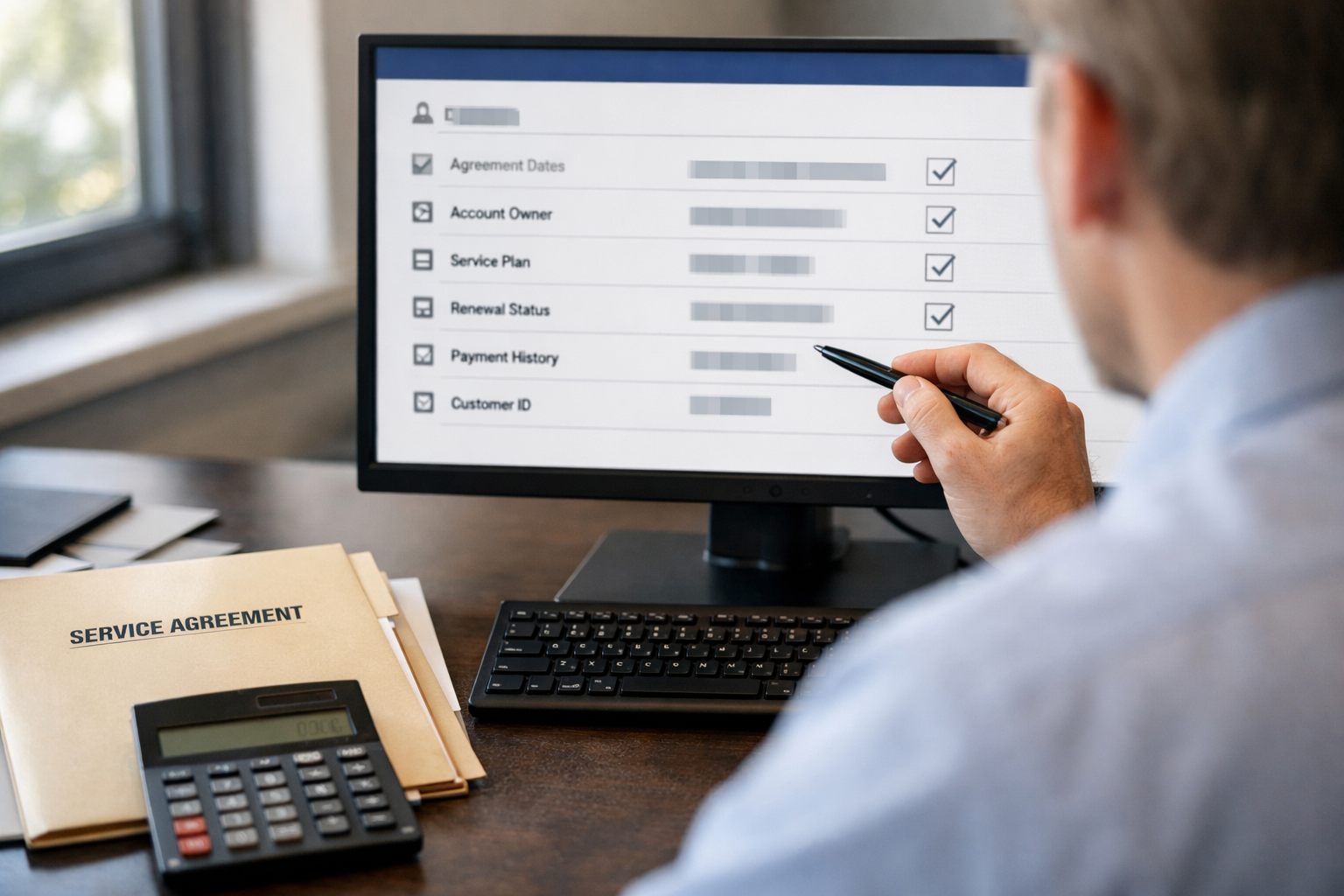
Include these required fields:
- Renewal date: the date the next term begins or the agreement ends, defined consistently across every account.
- Agreement type and billing model: label the service as, for example, a maintenance plan, retainer, subscription, or fixed-term agreement; record whether it renews automatically, requires approval, or is invoiced manually.
- Renewal status: use controlled values such as eligible, contacted, pending customer decision, renewed, declined, or escalated so records can enter and leave automation predictably.
- Ownership and contacts: assign one accountable account owner and store the renewal decision-maker, billing contact, and any operational contact separately.
- Commercial and risk fields: capture notice period, contract value, payment status, and flags for disputes, service issues, custom terms, cancellation requests, or escalation.
Standardize dates before building triggers. “Service end date,” “customer notice deadline,” “invoice due date,” and “renewal date” can be four different dates; treating them as interchangeable causes reminders to arrive too early, too late, or after a required decision point. Define each field in plain language and use the renewal date as the workflow anchor, with the notice period stored as a separate number of days.
Add a validation rule before enrollment: require a valid renewal date, agreement type, billing model, renewal status, named owner, usable customer contact, and agreement terms. Route records missing any required value to a data-cleanup queue rather than sending a generic reminder. This preserves reliable handoffs while giving the team a visible list of records that need human correction.
Step 2: Segment Accounts and Set Timing by Renewal Motion
Use the fields already captured to assign a renewal motion before calculating send dates. This customer segmentation reflects decision effort: contract value, service complexity, active approval, risk signals, payment history, and procurement lead time determine how early the workflow should begin.
| Renewal motion | Routing criteria | Illustrative timing sequence |
|---|---|---|
| Low-friction | Standard maintenance plan or subscription; paid and engaged; no active approval or only a simple payment update. | Planning notice at 30 days; decision prompt at 14 days; final notice at 3 days; post-expiry follow-up at 7 days. |
| Moderate-touch | Managed service agreement with meaningful spend, several stakeholders, or an approval step. | Planning notice at 90 days; decision deadline at 45 days; follow-ups at 21 and 7 days; post-expiry review after 7 days. |
| Strategic or customized | High-value account, tailored scope, negotiated pricing, procurement review, or executive approval. | Planning at 180 days; commercial discussion at 120 days; decision checkpoint at 60 days; escalation at 30 days. |
These windows are operating examples, not a universal cadence. The agreement notice period is the controlling deadline: set the first trigger early enough for the customer and your team to reach a decision before either party’s notice obligation. A 60-day non-renewal deadline, for example, cannot be managed by a first service agreement renewal reminder 45 days before term end. Customer buying cycles can require an even earlier start when budgets or procurement reviews occur only at set times.
Move an account to an earlier, higher-touch path when low usage, unresolved complaints, a price objection, overdue payment, a cancellation request, or an upcoming procurement review appears. Maintenance plan renewal reminders may stay automated for a paid, engaged customer, but an open service issue should change the record’s segment before the next scheduled notice.
Make the segment a controlled field and recalculate it whenever risk, payment, approval, or procurement data changes. A usable rule is “strategic when terms are customized or procurement lead time exceeds 90 days”; a weak rule relies on an account owner remembering to intervene.
Step 3: Build Automated Notices, Prompts, and Follow-Ups
Turn each segment’s schedule into a controlled sequence rather than a set of one-off sends. Enroll a record only when its renewal status is open, its next scheduled send date has arrived, and it has not been diverted for human handling. A practical chain is: trigger on the calculated date; send the appropriate message; write a message-sent event to the customer record; wait until the next interval; then re-evaluate status before any further communication.
Build each renewal notice from agreement fields, not a generic template. It should identify the service or plan, state the renewal or expiration date, explain the required action, show pricing, invoice, or payment-update context when relevant, provide a direct reply or contact route, and name a clear decision deadline. A maintenance agreement might link to approve and pay; a retainer renewal might ask the client to approve revised scope; an auto-renewing subscription might explain the upcoming charge and available account actions.
- Email suits fuller context, attachments, proposals, and a durable record of the renewal conversation.
- SMS should be a short, time-sensitive prompt that links to a secure payment, approval, or contact path rather than carrying complex terms.
- In-app or portal prompts place the action where customers can review service history, documents, and account details before responding.
Use automated renewal reminders at the intervals set for that renewal motion, but suppress the next send whenever the status becomes renewed, canceled, declined, in negotiation, under dispute, or contact opted out. A strong workflow stops immediately after a completed payment or signed renewal; a weak one keeps sending because the sequence only reads elapsed time.
Record delivery, opens or clicks where available, portal views, replies, payment attempts, and the customer’s stated outcome. Classify responses as renewed, pending customer action, declined, or needs review so automated customer follow-ups react to the latest outcome rather than guessing. Before enabling each channel, apply the consent, opt-out, contract, and jurisdictional requirements that govern that communication route.
Step 4: Automatically Assign Follow-Up Tasks to the Right Person
A delivered reminder becomes accountable work only when a rule creates a task for a named person with a defined response standard. Use automated task assignment to route by the field that best predicts who can move the renewal forward: retain the existing account owner for managed accounts; use region or service line when scheduling, local relationships, or technical scope matters; and send payment-related holds to finance rather than sales.

- Self-serve renewal: create a service-coordinator task only after a failed payment, unanswered final prompt, or customer request for help. Due date: one business day.
- Account-managed renewal: assign the account owner when the customer replies, views a proposal without deciding, or reaches the segment’s follow-up threshold. Due date: two business days, or sooner as the renewal date approaches.
- Finance-blocked renewal: assign finance when an invoice is overdue, a payment fails, or tax and billing details need correction. Keep the relationship owner copied, but do not make them responsible for resolving an accounting hold.
Every task should carry the customer and agreement name, renewal date, value tier, current status, latest message or reply, payment state, and a next-best action. “Follow up” is weak; “Call the operations contact to resolve the unsigned proposal, then record approve, decline, or negotiation” gives the assignee a finish line. Set an escalation deadline as well: if the task remains open past its due date, notify the manager or reassign a backup owner.
Track each record in a renewal pipeline, not an inbox. Use stages such as contacted, engaged, negotiating, awaiting internal action, renewed, and lost. A dashboard filtered to engaged accounts with no completed task exposes the dangerous middle: customers who responded, but whose renewal still has no recorded decision.
Step 5: Create Human Review Paths for Exceptions and Risks
An exception is a change in handling authority, not merely an “at risk” label. When a rule fires, set the renewal status to human review, pause all generic reminders and payment prompts, preserve the event that caused the diversion, and create a case with one accountable owner and a response deadline.

- Commercial exceptions: route high-value agreements, nonstandard terms, pricing changes, legal review, or procurement review to the account owner or commercial lead. These conditions usually require a negotiated decision rather than another approval link. Set an initial-review SLA of one business day.
- Service exceptions: route unresolved tickets, missed commitments, a low health score, or a customer dispute to the service manager, with the account owner copied. The case should name the issue, affected service period, and recovery action; require an update within one business day.
- Payment and exit exceptions: send a payment failure to finance, while keeping the relationship owner informed. Route a cancellation request to the account owner and retention lead, but stop renewal persuasion until they record whether the customer seeks cancellation, a correction, or a revised agreement.
Use a defined handoff rule: notify the owner in the work system, create the case or task, set its due date, and escalate to a manager if no update is logged by the SLA. AI automation for service businesses can summarize reply text, cluster service issues, or prioritize low-health accounts, but a person should decide the commercial response on sensitive renewals.
Good exception design: “Pricing increase requested” pauses the sequence, assigns the commercial lead, and requires a recorded next step by tomorrow. Weak exception design: applying an at-risk tag while the customer continues receiving generic reminders. The first creates a visible decision path; the second produces conflicting messages and leaves ownership ambiguous.
Step 6: Measure Results and Improve the Workflow Each Renewal Cycle
The first completed renewal cycle should produce a scorecard, not just a list of wins and losses. Track lagging outcomes, renewal rate, on-time renewal rate, save rate, recorded churn reasons, and revenue at risk, alongside leading signals: response rate, median time to decision, task completion rate by deadline, and escalation volume. Define each measure consistently; for example, on-time renewal rate counts agreements completed before their renewal date, while time to decision measures days from first reminder to a recorded outcome.
Review those measures by segment, agreement type, value tier, owner, and exception reason rather than trusting one blended total. Strong opens but long decision times for larger accounts indicate that the message is reaching the right people but the approval window begins too late. High response rates paired with overdue tasks point to an internal routing or ownership problem. Frequent data-cleanup holds show that the enrollment gate needs better field discipline, not more reminders.
- Move the first notice earlier when procurement or approval delays cluster in a segment.
- Revise the message or renewal action when customers open notices but do not respond.
- Change routing rules when one team or owner repeatedly misses task deadlines.
- Review escalation and churn-reason trends to identify service, pricing, or payment patterns that need human intervention sooner.
Run a monthly operational review and a quarterly design audit covering incomplete records, task compliance, exception outcomes, and segment-level revenue at risk. Workflow automation for small business improves when each cycle produces one controlled change, then measures its effect across the customer lifecycle. That discipline lets you automate recurring service renewal reminders without losing visibility into the accounts that require judgment.
Frequently Asked Questions
-
What information should be included in a service renewal reminder?
Include the service or plan name, renewal or expiration date, required customer action, pricing or payment context, a direct reply or contact route, and a clear decision deadline. Use agreement fields to personalize each notice instead of relying on a generic template.
-
How far in advance should you send service renewal reminders?
Send low-friction renewal reminders at 30, 14, and 3 days before renewal, with a follow-up 7 days after expiry. Moderate-touch accounts can start at 90 days, while strategic or customized agreements should begin at 180 days and follow the contract notice period.
-
How do you automate contract renewal reminders in a CRM?
Use one CRM customer record with a renewal date, agreement type, billing model, renewal status, named owner, customer contacts, and risk fields. Trigger messages from the calculated send date, log message events, recheck the status before each follow-up, and suppress sends when the account is renewed, declined, canceled, under dispute, or in negotiation.
-
How do you handle customers who need a human renewal conversation?
Move high-value, customized, disputed, payment-blocked, cancellation-requesting, or unresponsive accounts to human review and pause generic reminders. Create a case with one accountable owner, a deadline, the triggering event, and escalation to a manager if no update is logged within the SLA.
-
How do you choose the right renewal reminder workflow for maintenance agreements versus strategic contracts?
Use a low-friction workflow for paid, engaged maintenance plans or subscriptions with no active approval, and reserve strategic workflows for customized terms, high value, procurement review, or executive approval. Choose the earlier, higher-touch path when payment issues, low usage, complaints, price objections, cancellation requests, or procurement delays appear.