
Workflow Automation as Operational Control for Remodelers and General Contractors
For a remodeling company, workflow automation is an operating control: a set of rules that moves work from inquiry to estimate, approval, production, and closeout without relying on memory, inbox searches, or one person’s availability. It gives office staff, estimators, project managers, clients, and subcontractors a shared view of the next required action, supporting faster lead response, fewer missed handoffs, and more consistent throughput.
A practical workflow might route a new inquiry to the right owner, prompt estimate follow-up on a defined cadence, create a production handoff after an approved proposal, request outstanding client selections, and flag an unreturned subcontractor confirmation. The trigger is a real business event; the automated action is a notification, task, status update, or request; and a named person remains responsible for the decision or exception. That distinction is what makes business process automation useful for general contractors rather than merely adding more messages.
Automation should administer the process, not substitute for construction judgment. A reminder can surface a field-requested upgrade and keep it from disappearing in a text thread; it cannot interpret scope, price unforeseen conditions, authorize added work, or treat an opened email as approval. Use workflow automation for remodeling contractors to make required checkpoints visible, complete scope, documented client authorization, assigned owner, and resolved exception, so the team can protect schedule flow and margin while retaining disciplined human control.
Which Contractor Workflows Should Be Automated First?
Start where delays recur often enough to affect the week’s work. Score each candidate workflow from 1 to 5 for frequency, delay risk, staff time consumed, impact on revenue or margin, and the number of people who must act. Then subtract for exception rate: a process with many unusual conditions needs more human handling and is a weaker first automation.
- Strong candidates are repeatable handoffs with clear rules: route a complete inquiry by service area, send a timed estimate reminder, update a client when a milestone changes, request missing selections or insurance documents, and alert a coordinator when a subcontractor has not confirmed. The system moves the routine request or status; the assigned employee resolves the response.
- Weak candidates depend on conditions the system cannot reliably interpret: determining whether existing framing can remain, translating a client’s vague request into scope, pricing concealed damage, negotiating a trade partner’s availability, or deciding whether field work meets the agreed standard. Estimators, project managers, supervisors, and trade partners should retain those decisions.
For an automation ROI assessment, use the company’s own baseline: administrative hours spent chasing each item, average approval lag, missed-document rate, and value of work delayed or lost. Prioritize the workflow with a frequent, measurable bottleneck and a simple exception path. That approach keeps contractor business process automation focused on throughput and margin rather than automating judgment for its own sake.
Speed Up Lead Intake, Qualification, and Estimate Follow-Up
The first response should begin with structured lead intake, not an inbox search. A remodeling inquiry form can collect job type, property location, target budget range, desired timing, photos, and job-fit criteria such as occupied versus vacant home, service-area eligibility, or whether the work is a repair, renovation, or full addition. Required fields create a usable starting record; open comment fields preserve the context an estimator needs to interpret the request.

- Use routing rules only for clear signals. A kitchen renovation inside the service area with a stated budget can go to the appropriate estimator, while an out-of-area request receives a prompt, courteous response from the office. A high-value opportunity, urgent timing request, or referral from a valued partner should also alert an owner or sales lead rather than wait in the ordinary queue.
- AI automation for service businesses can summarize form answers, identify missing inputs, and suggest a route. It should not decide whether the company can meet the client’s expectations, interpret photographs as a complete scope, set pricing, or make a commitment. An estimator or qualified contractor owns the fit decision and any promise made to the prospect.
After a proposal is sent, tie follow-up to its status rather than sending generic sales messages. For example, send a personal-feeling reminder a few days after delivery that references the project type and invites questions; create a task for the estimator after a second unanswered touch; and escalate a high-value proposal for a direct call. A reply asking about allowances, schedule, or scope is a human-review signal, not a cue to send another template.
Track response time, incomplete-intake rate, proposal aging, and the share of estimates that receive a documented next step. Those measures show where lead qualification is slowing preconstruction and where faster follow-through can protect pipeline throughput without making client communication feel automated.
Turn Approved Estimates Into Organized Project Kickoffs
A signed proposal status should start a controlled kickoff, not merely move an opportunity to “won.” When the e-signature confirmation arrives, the system can create a project record, assign a preconstruction owner, send the deposit request, and open a checklist that keeps the office, estimator, and project manager working from the same handoff.

- Assign the estimator to distribute the final scope of work, inclusions, allowances, and exclusions to the production team. This gives the field a defined reference point rather than an earlier draft or a sales conversation.
- Assign accounting to track the deposit request and escalate an overdue payment to the owner or office manager; do not release the job simply because the client opened the email.
- Assign the project manager to set selection deadlines, invite the client to the portal, and identify permit, survey, financing, or access dependencies that affect the start date.
- Send timed reminders for missing insurance, signed contract pages, selections, or site information, then flag unresolved items in an internal queue instead of silently advancing the job.
Use a production-release gate to distinguish a ready project from an approved sale. A strong signal is a complete executed agreement, required deposit, final scope, assigned owner, and a preconstruction review scheduled or completed. A weak signal is an email reply, an incomplete signature packet, or a verbal request to “get started.” Automation can enforce the checklist and surface those exceptions, but a qualified person must decide whether the scope is complete, the documents support release, and the team is prepared to build.
Measure kickoff lag from approval to release, the percentage of jobs released with missing items, and staff time spent chasing deposits and selections. Those baselines show whether workflow automation for remodeling contractors is reducing administrative drag while protecting the handoff that affects schedule reliability and margin.
Protect Margin With Change-Order Controls and Consistent Client Updates
During construction, the expensive failures are often small gaps: a selection sits unanswered, a field request stays in a text thread, or extra work begins before its cost and schedule effect are settled. Automated jobsite updates can send clients a consistent summary of completed work, upcoming disruptions, selections needed, payment milestones, and schedule changes, while creating an internal task for the project manager when a response is required.
Treat a change-order request as a controlled sequence, not a message to be remembered. A request from the field, client, or subcontractor should create a dated record with photos, the requested scope, and the person who raised it. The workflow then notifies the assigned project manager, who validates the scope, obtains pricing, determines schedule impact, and speaks with the client. Those are judgment calls; automation should route and track them rather than make them.
- After the project manager prepares the change order, send the client a defined scope, price, and schedule impact for review. A client’s email open or verbal agreement is a weak signal because it does not show that the terms were accepted.
- Use written authorization as the approval gate: only a completed authorization status moves the item to scheduling and alerts the field team that the added work can be planned. An incomplete or overdue request stays visible in an exception queue and escalates to the project manager or owner before crews proceed.
- Once authorized, create the scheduling task and billing item from the same approved record. This keeps the field plan, client-facing decision log, and invoice from relying on separate manual entries.
Selection reminders work the same way: send timed prompts before a decision blocks ordering or installation, then flag silence for personal follow-up rather than repeatedly sending generic notices. Measure approval lag, overdue selections, change orders completed before authorization, and the value of approved changes that reached billing. Those inputs reveal where consistent follow-through is reducing margin leakage and protecting project throughput.
Coordinate Subcontractors, Documents, and Closeout Without Chasing Every Detail
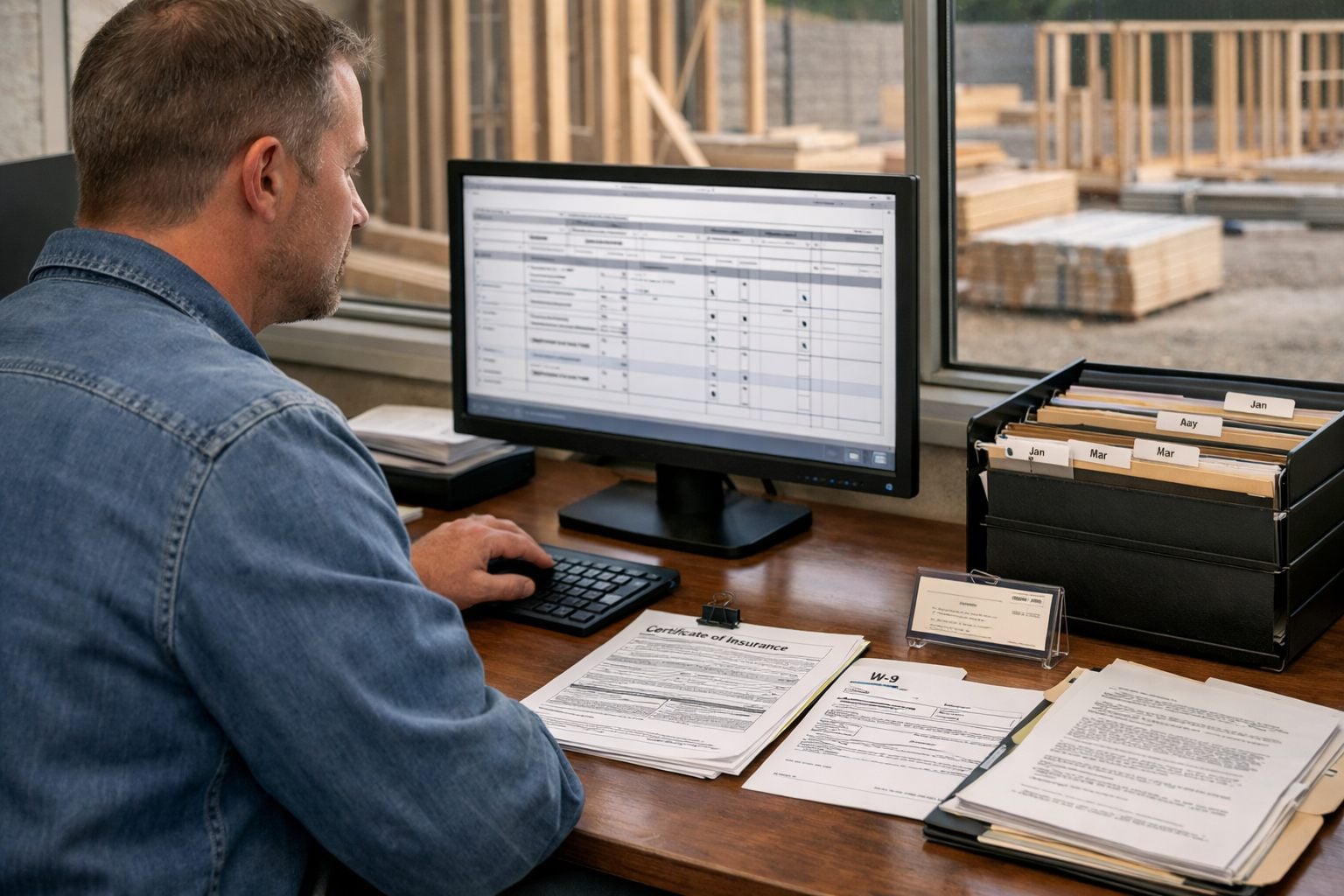
A trade cannot be released reliably from a scattered email trail. Onboarding can begin with a subcontractor record that automatically requests a signed agreement, proof of insurance, W-9 collection, primary contact, and trade-specific details. Missing items remain assigned to an office owner, while expiration-based reminders request updated insurance before the record becomes stale. The control is not the reminder itself; it is the visible status that tells the project manager whether the subcontractor is ready for consideration.
- For upcoming subcontractor scheduling, trigger a confirmation request several days before planned work. The message can include the work window, address, jobsite access details, parking or delivery instructions, and the prerequisite work expected to be complete. A confirmed response is a useful scheduling signal; an unanswered request should create an escalation task for the project manager, who decides whether sequencing, access, and crew availability truly support release.
- When a trade marks its work complete, open a closeout checklist for photos, punch-list items, warranty information, lien-related records where required by the company process, manuals, and final client documents. Timed punch-list reminders keep unfinished items visible without requiring staff to reconstruct the status from texts.
Assign human ownership at each gate: the office reviews record completeness; the project manager verifies readiness and quality; field leadership manages jobsite conditions and safety. Automation can request, timestamp, route, and escalate, but it cannot determine whether a subcontractor can perform as promised or whether work meets the project standard. Track missing-document rate, unconfirmed trade starts, punch-list aging, and administrative time spent chasing closeout items to identify the bottlenecks worth tightening.
Build a Contractor Automation Roadmap and Measure ROI
Those closeout measures become the baseline for rollout. Map one process from its initiating event to its completed status: for estimate follow-up, record the proposal sent date, assigned estimator, scheduled follow-up dates, client response, revision request, and final disposition. Choose one high-volume administrative bottleneck first. A completed proposal sent date is a strong trigger; an email open is a weak signal because it does not show that the client reviewed or acted on the estimate.
- Standardize inputs before building rules. An estimate sequence needs client contact details, proposal amount, sent date, follow-up cadence, and an assigned estimator. If the proposal amount or owner is missing, create a task for that owner rather than sending an incomplete follow-up.
- Test exception paths before launch: a client requests a revision, the estimator is out, a change order remains unsigned, or a selection deadline passes. The workflow should pause the standard sequence, assign a named person, and retain the status history rather than pushing work forward automatically.
- Train each role on the status change it owns, then compare a defined pilot period with the pre-launch baseline. Review lead response time, estimate follow-ups completed on time, approval lag, unsigned change orders, missing documents, overdue selections, and manual chasing hours.
For an automation ROI assessment, calculate annual benefit as recovered administrative hours × loaded hourly labor cost, plus the estimated value of rework avoided when required information is present and margin leakage avoided when documented follow-up captures unresolved scope. Subtract one-time implementation cost and recurring software cost; divide the resulting net benefit by those costs to express ROI. Faster approvals and fewer missed follow-ups are measured operating signals, not guaranteed revenue. Expand remodeling business automation only after the pilot produces a repeatable improvement.
Frequently Asked Questions
-
What is workflow automation for remodeling and general contracting companies?
Workflow automation uses rules and real business triggers to move work from inquiry through estimating, production, and closeout. It creates tasks, notifications, status updates, and requests while keeping a named employee responsible for decisions and exceptions.
-
What workflows should a remodeling contractor automate first?
Start with frequent, repeatable handoffs that have clear rules, such as lead routing, estimate reminders, client milestone updates, missing-selection requests, and subcontractor confirmation alerts. Score each workflow from 1 to 5 for frequency, delay risk, staff time, revenue or margin impact, and number of participants, then subtract for exception rate.
-
Can AI automate lead qualification for a general contractor?
AI can summarize inquiry form responses, identify missing details, and suggest routing based on signals such as service area, job type, budget, and timing. An estimator or qualified contractor must still decide project fit, interpret photos, set pricing, and make commitments to the prospect.
-
How do automated change-order reminders protect construction profit margins?
A controlled change-order workflow creates a dated record with photos, requested scope, and the requester, then assigns the project manager to validate scope, price the work, and determine schedule impact. Only completed written authorization should release the work to scheduling and billing, preventing crews from performing unapproved extra work.
-
How do I calculate automation ROI for a remodeling business?
Calculate annual benefit as recovered administrative hours multiplied by loaded hourly labor cost, plus the estimated value of avoided rework and margin leakage. Subtract one-time implementation and recurring software costs from that benefit, then divide net benefit by those costs to calculate ROI.