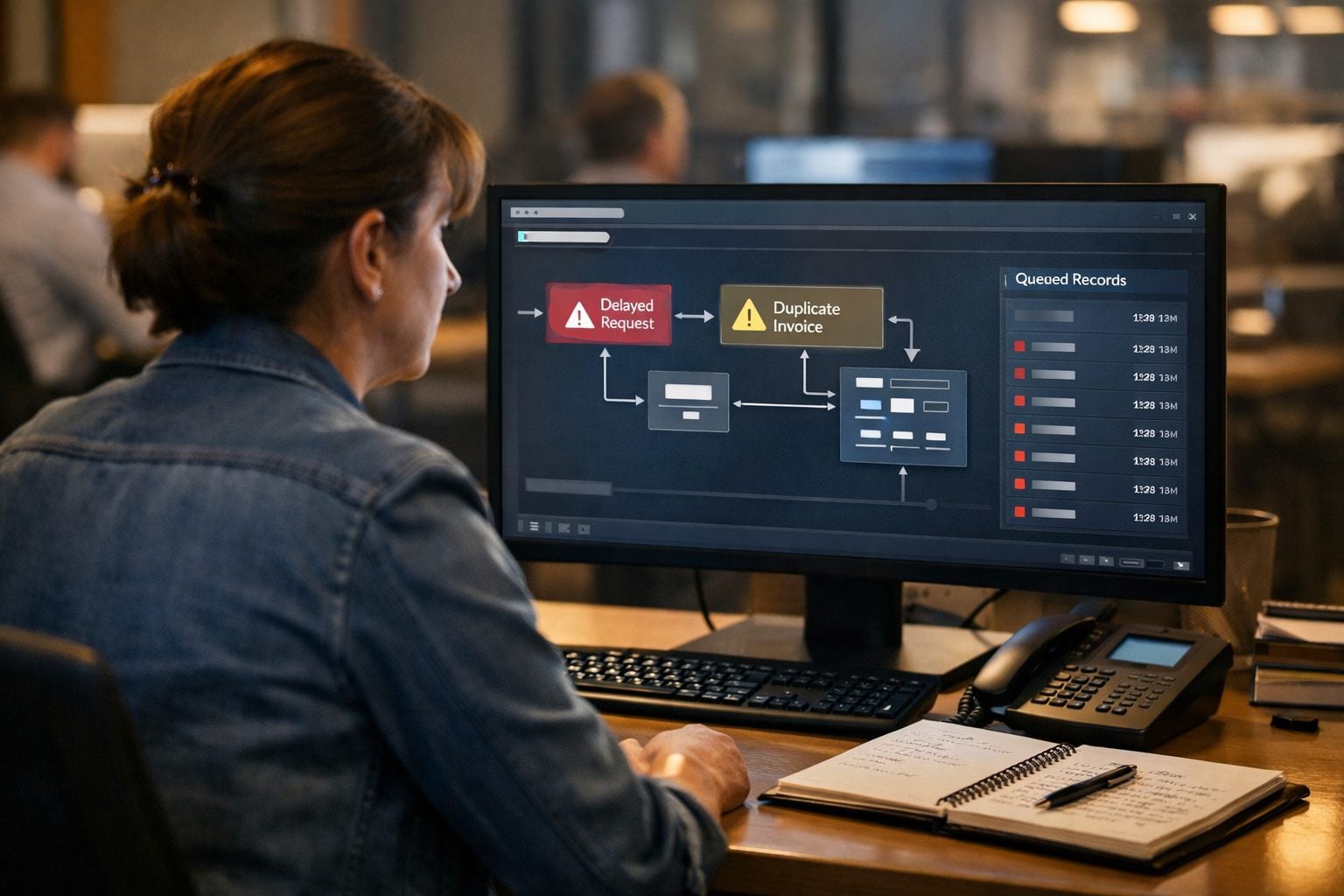
An automation can fail without producing an obvious error. A new inquiry may enter the CRM but never trigger the promised follow-up; an invoice may be created twice after a retry; an order may appear complete while a downstream handoff never occurs. The immediate issue is technical, but the consequence is operational: a customer waits, revenue leaks, records lose integrity, or a required process is missed. For service businesses, where fast lead response and reliable handoffs shape the customer experience, these are business problems, not background IT noise.
That is not an argument against workflow automation for small business. Well-designed automated business operations reduce repetitive work, bottlenecks, and inconsistent execution; reliability comes from designing the controls around the workflow at the same time. The intended gains include faster responses, fewer missed handoffs, lower administrative workload, and more consistent throughput.
A dependable system makes failure visible and manageable. It identifies the outcomes that matter, monitors signals that show whether those outcomes occurred, sends an actionable alert to a named owner, and uses a documented recovery plan to contain the impact and restore accurate work. The sections ahead distinguish a notification from a real response process, then show how to detect common breakdowns, recover affected records or transactions, and improve the workflow before the same issue reaches customers again.
Automation Failure Is an Operational Risk, Not Just a Technical Error
A workflow’s run history is not the business result. A process may stop before it acts, complete only its first step, repeat an action after an unsafe retry, or report success while passing the wrong field value onward. Each pattern calls for a different response because the operational harm is different.
A stopped lead-routing workflow leaves an inquiry without an owner. A partial job-booking workflow can create the customer record but omit the technician assignment, producing a fulfillment delay. A duplicate payment reminder can make a customer question the account balance. A workflow that sends an appointment confirmation using an outdated service date may look technically successful while creating an incorrect customer commitment and unreliable records.
The control loop should therefore follow the work, not merely the software: define the expected outcome, monitor the signals that prove it occurred, alert a named owner when it does not, contain further incorrect actions, recover the affected records or transactions, and improve the workflow from what the incident revealed. A notification alone is only a signal; accountability and a defined next action turn it into operational control.
The Automation Failures That Need Priority Monitoring
Priority should follow the work that affects revenue, customer commitments, fulfillment, and record accuracy. For service businesses, a missed handoff or delayed lead response can directly undermine the faster response and consistent throughput automation is meant to provide.
- Failed workflow runs: A run stops with an error before completing its steps, for example, a web inquiry never creates a CRM task. This is visible in run history, but it still needs priority when it leaves a lead, invoice, or dispatch request without an owner.
- Integration or API outages: The connection between systems is unavailable, so a completed booking may not reach scheduling or accounting. A cluster of failed calls, connection errors, or a growing gap between source and destination records signals a dependency problem rather than one bad submission.
- Expired authentication: A saved login token or authorization no longer permits access. The workflow may suddenly stop creating records, updating job statuses, or sending messages until the connection is restored.
- Rate limits: A connected service temporarily rejects excess requests. This often appears during a campaign, bulk import, or busy dispatch period; delayed or rejected actions can leave customer updates and operational queues incomplete.
- Broken mappings and validation failures: A field mapping sends the wrong value, or a required value is blank or malformed. A job may be created with the wrong address, a contact may be assigned to the wrong team, or a destination system may reject the record altogether.
- Duplicate records or actions: The same trigger is processed twice, often after a retry or repeat event. Duplicate invoices, reminders, appointments, or work orders create customer confusion and force staff to reconcile which record is real.
Silent failures deserve the highest scrutiny. Here, the platform marks the run complete because each technical step accepted the data, yet the business result is wrong: a confirmation uses an outdated appointment date, a lead is routed to an inactive employee, or a zero-value field overwrites a valid balance. Run history alone looks healthy. Detect these failures by comparing source records, destination records, and the expected operational outcome, not merely by counting successful runs.
Start With Expected Outcomes and Critical Control Points
A green run status is only useful when it is tied to a business promise. For each critical workflow, write a short success definition that a manager can assess without reading technical logs. For example: “Every qualified web lead creates one CRM record, is assigned to the correct queue, and receives an initial response within the agreed response window.” That definition turns a vague “completed” status into an outcome that can be monitored and recovered.
A practical control point is the small set of fields that proves the handoff happened as intended:
- Trigger: the event that should start the workflow, such as a submitted web form or paid invoice.
- Expected output and record count: what should be created or sent, and how many records should result. One qualified lead should not become zero, or three, CRM contacts.
- Completion deadline: the latest acceptable time for the result, measured against the operational commitment rather than the platform’s run time.
- Unique record ID and destination confirmation: the source identifier and proof that the intended downstream system received the correct record.
- Accountable owner: the named person responsible for acting when the outcome is missing, late, or incorrect.
Apply the strongest controls where a mistake creates an external commitment or financial exposure. An internal reminder to review a report is low risk: a daily missed-item review may be enough. A lead response, customer message, payment, order, or workflow handling regulated data is high risk because delay, duplication, or incorrect data can affect a customer or require manual reconciliation. For workflow automation for small business, this risk tier determines how quickly an exception must be noticed and who owns the response.
What to Monitor: Signals That Reveal a Real Business Problem
The most useful dashboard separates a technical interruption from an operational miss. Organize automation monitoring into four signal groups, then give each critical workflow a clear threshold and an owner who can interpret the exception.
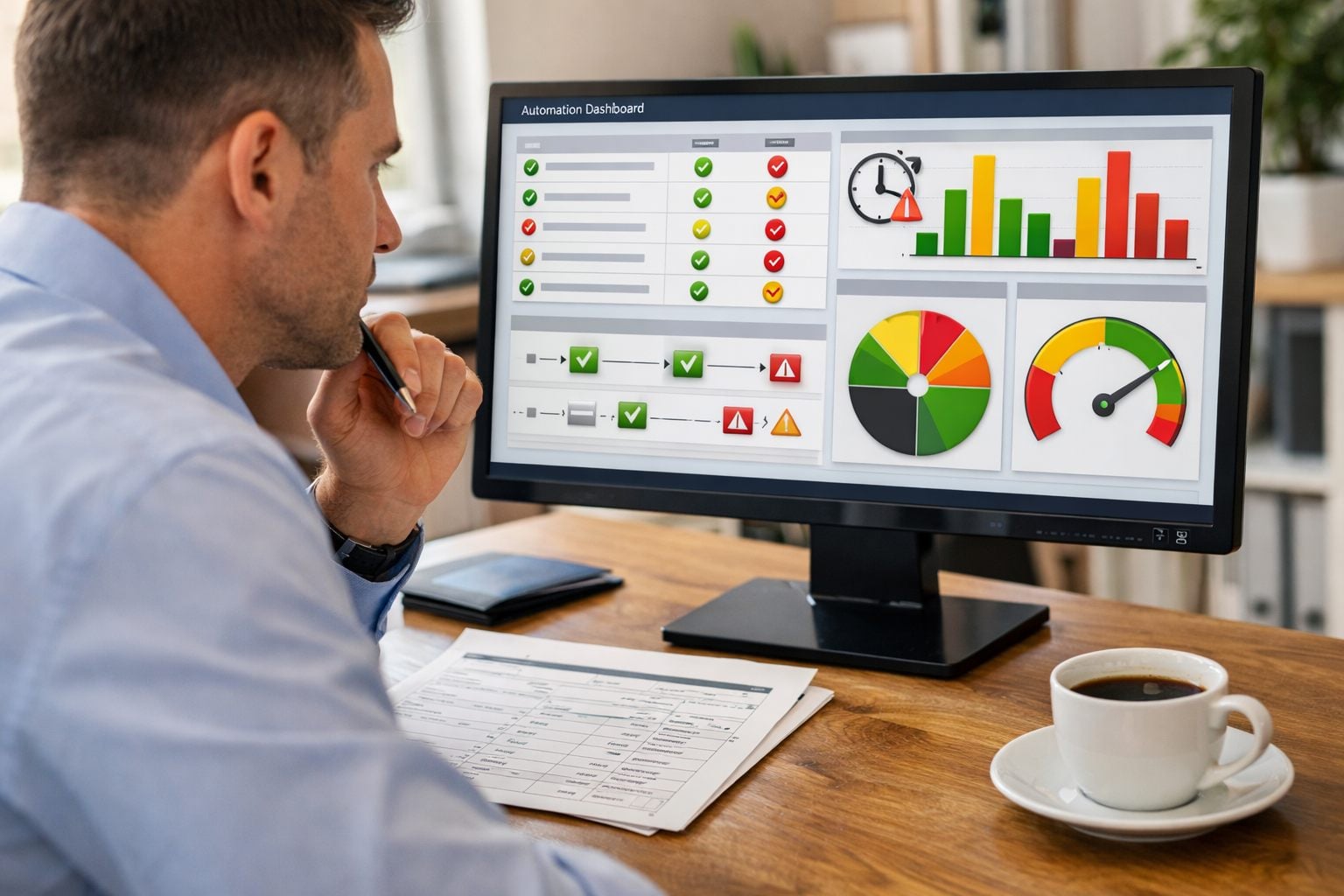
- Execution health shows whether the workflow engine is doing its work: failed runs, repeated retries, and queue backlogs. A backlog is work waiting longer than its normal processing window. Flag a lead queue that has not moved for 15 minutes, for example, rather than accepting a growing list of “pending” runs. Retried runs need special attention where a second attempt could create another invoice, payment, or customer message.
- Data integrity shows whether the right information arrived intact. Test for required fields such as customer name, contact method, service address, and assigned owner; flag blanks, invalid values, and duplicate records using the source record ID. A daily count comparison can expose a silent miss: 24 qualified form submissions in the intake system but only 23 CRM records means the workflow did not achieve its result, even if every recorded run appears successful.
- Business outcome measures the promise the workflow exists to deliver: zero leads during normal business hours, an unexpected spike in bookings, an unconfirmed customer notification, or an order without a downstream fulfillment handoff. Delivery confirmation matters more than a “sent” status when faster response and fewer missed handoffs are the intended outcomes.
- Dependency health watches the services the workflow relies on, including API error rates, rate-limit responses, connection failures, and credential-expiration warnings. These signals give the owner time to intervene before a disconnected CRM, payment system, or messaging tool turns into a pile of unprocessed work.
Weak workflow failure monitoring stops at platform errors. Strong monitoring reconciles source, destination, and customer-facing result: one paid transaction should produce one receipt, one accounting entry, and one fulfillment instruction. AI-powered workflow optimization can help surface unusual volumes or cluster similar exceptions, but it cannot replace those explicit checks or the person accountable for resolving them.
Design Alerts That Reach the Right Person With a Clear Next Step
An alert earns attention only when the recipient can decide what to do without opening several dashboards. Route alerts by business process, not merely by the application that produced them: a failed payment handoff belongs with the finance owner, while an unassigned service request belongs with the dispatch or revenue owner. Name a backup owner for absences and define an escalation path when the first person does not acknowledge.
- Critical means an active risk to customers, revenue, payments, sensitive data, or irreversible loss. Page the accountable owner immediately and escalate to the backup if it is not acknowledged within a short, predefined window. A payment captured without an order record, for example, requires containment before more transactions accumulate.
- High means an important workflow is impaired but a manual workaround remains possible. Send a direct message or ticket with an expected acknowledgement during operating hours, such as a lead-routing backlog approaching the response commitment.
- Routine means a warning or low-impact exception that can be reviewed in a scheduled queue. Batch these workflow automation alerts into a daily review rather than interrupting staff for every malformed internal record.
Set thresholds around business exposure, not raw error counts. One failed customer payment may justify a critical alert; five failed attempts to update an internal tag may be routine. Immediate paging for every retry, timeout, or temporary API error creates alert fatigue, teaching people to ignore the messages that matter.
A useful alert follows a compact structure: “Critical, Payment-to-order handoff, 3 transactions affected, first failure 10:14 a.m., customers may have been charged without fulfillment, status: workflow paused, owner: finance lead, first action: stop further captures and reconcile transaction IDs 8841–8843, runbook link.” It identifies the workflow, severity, affected records or transaction IDs, failure time, likely impact, current status, accountable owner, and first containment action.
“Automation failed” is noise; “CRM sync error” is only slightly better. Effective automation exception handling makes acknowledgement meaningful: the owner confirms receipt, takes the stated first action, and escalates if the issue cannot be contained. For AI-assisted workflows, managed AI operations still need that named human decision-maker when an output could affect a customer or business commitment.
The Recovery Plan: Contain, Reconcile, Restore, and Communicate
The first priority is to stop the incident from producing more bad work. A practical workflow recovery plan separates immediate containment from the later permanent fix: pause the affected workflow, disable the unsafe action if a full pause would block unrelated work, and preserve the run logs, timestamps, payloads, and affected record IDs before anyone edits them.

- Define the scope. Identify the first suspect event, the last known good event, and every lead, order, ticket, invoice, or payment in between. This creates a bounded recovery set rather than a vague instruction to “rerun everything.”
- Keep work moving manually. Assign a person to route new leads, create fulfillment tasks, or update customers while the automation is paused. Manual fallback is a required continuity control: it protects the business promise while the system is being repaired.
- Correct the cause, then prove the correction on a controlled example. A repaired field mapping, renewed connection, or adjusted rule is not recovery by itself. Test it with a non-production or clearly identified record before restoring normal volume.
- Replay only records that are safe to repeat. Idempotency means the receiving system recognizes a repeated request as the same event and avoids creating a second result. A lead-record update may be safe to replay; a confirmation email, invoice, order, or payment capture may not be. Retrying without that protection can turn one missed action into duplicate charges or conflicting customer messages.
- Reconcile the result. Compare the source list with the destination list and the customer-facing outcome. For example, every order in the affected window should have one order record, one fulfillment instruction, and the appropriate payment status. Investigate exceptions individually rather than treating matching totals as proof of accuracy.
When an incorrect transaction already occurred, recovery may require a rollback where the system can reverse the action, or a compensating action: voiding a duplicate invoice, issuing a refund, cancelling an erroneous order, or sending a corrected message. Record who approved and completed each action.
Communication belongs inside the automation recovery plan. Tell operations and finance what is paused, which records are affected, and who owns the manual queue. Contact customers when a delay, incorrect message, duplicate charge, or missed commitment is visible; state the correction and next expected step plainly. Leadership needs the exposure, current containment status, and decision points, not a stream of technical logs.
Turn Recovery Into a Repeatable Runbook, Not a Heroic Response
Put the plan where the person receiving the alert can use it immediately: one short, workflow-specific runbook linked from the alert and dashboard.
- Purpose and ownership: State the business promise the workflow protects, name the business owner, technical owner, and backup responder, and list the dependent systems.
- Detection and severity: Record normal volume, the threshold that makes an exception urgent, and the exact dashboard, shared queue, or audit-log location used to assess it.
- Response: Specify containment actions, a manual fallback, recovery checks, the customer-communication owner, and the event that requires a post-incident review.
A viable fallback is deliberately simple: while lead routing is paused, staff enter each new inquiry into a monitored shared queue or controlled spreadsheet, assign an owner, and mark the follow-up complete. A weak fallback depends on a remembered sequence of personal inbox messages or unrestricted edits; pressure makes omissions likely.
Recovery access should match the task. Role-based permissions limit who can pause workflows, alter records, or issue refunds; approval steps place a second decision-maker in front of consequential actions; audit trails preserve who changed what and when. Those controls let a small business workflow automation team restore service without creating an untraceable second incident.
Test Recovery Regularly and Improve the Workflow After Every Incident
Schedule a recovery drill while the workflow is healthy, before an alert requires staff to improvise. Put payment flows, outbound customer messages, sensitive-record updates, and other high-impact workflows on a tighter test cycle than low-risk internal reminders: the former can create external or financial consequences, while the latter are usually reversible. Simulate an expired credential, an unavailable dependency, a delayed run, and the same event arriving twice; then confirm duplicate protection prevents a second charge, message, or record.

Each exercise should also prove the manual queue works, the responsible owner can pause the unsafe step, and replay procedures restore only missing work rather than repeat completed actions. Reconciliation reports are the final checkpoint: compare source events, destination records, and customer-facing outcomes to identify unreconciled records after a test or incident.
After every material failure, hold a blameless review focused on improving the system rather than assigning personal fault. Record the timeline, business impact, root cause, detection gap, time to detect, contain, and recover, plus unreconciled-record count. Assign an owner and due date for each added safeguard, then track repeat incidents. AI-powered workflow optimization can help identify recurring anomalies, but ongoing automation optimization still depends on measured tests and accountable follow-through.
The goal is not zero alerts; it is fast detection, controlled recovery, and fewer repeat failures.
Reliable Automation Requires a Plan for When Things Go Wrong
The practical measure of reliability is whether the business can keep its promises when a component misfires. For workflow automation for small business, that means a missed lead, duplicate invoice, failed handoff, or incorrect customer update is detected before it becomes lost revenue, extensive data cleanup, or an improvised scramble. The payoff is operational clarity: faster lead response, fewer missed handoffs, and more consistent throughput.
A resilient workflow connects one complete control cycle: a defined expected outcome, control points that can expose a miss, monitoring signals tied to that outcome, an actionable alert to an accountable owner, and a runbook for containment and accurate restoration. A weak setup reports that an integration errored; a strong setup identifies the affected records, pauses the unsafe action, routes new work to the fallback queue, and confirms reconciliation before normal processing resumes. Clear ownership is what turns a notification into a response.
Start with the single workflow whose failure would create the greatest customer, financial, or operational disruption. Document its promised outcome, the signals that prove it happened, alert threshold and primary and backup owners, first containment action, manual fallback, reconciliation method, and test date. That one-page plan makes the next failure manageable, and gives ongoing automation optimization a concrete operational baseline.
Frequently Asked Questions
-
What is a silent failure in workflow automation?
A silent failure occurs when a workflow shows as technically complete but produces the wrong business result. Examples include routing a lead to an inactive employee, sending a confirmation with an outdated date, or overwriting a valid balance with a zero-value field.
-
How should small businesses monitor automated workflows?
Monitor execution health, data integrity, business outcomes, and dependency health. Compare source records, destination records, and customer-facing results, such as checking that 24 qualified form submissions produced 24 CRM records rather than only 23.
-
What information should an automation failure alert include?
An actionable alert should identify the workflow, severity, affected record or transaction IDs, first failure time, likely impact, current status, accountable owner, and first containment action. For example, a payment handoff alert should state how many transactions are affected and instruct the finance owner to stop further captures and reconcile the listed transaction IDs.
-
How do you recover from an automation failure without creating duplicate records or charges?
First pause the affected workflow, preserve logs and affected IDs, define the first suspect event through the last known good event, and keep work moving through a manual fallback queue. Test the fix on a controlled record, replay only idempotent actions that cannot create a second result, then reconcile source events, destination records, and customer-facing outcomes.
-
Which automated workflows need the strongest monitoring and fastest recovery plan?
Prioritize workflows that affect customer commitments, revenue, payments, fulfillment, sensitive data, or irreversible loss. Payment captures, lead responses, customer messages, orders, and regulated-data workflows need tighter alert thresholds and more frequent recovery testing than low-risk internal reminders.