Start by Defining What Can Go Wrong, and What Evidence Counts as Ready
Before any test run, define the failure modes that would matter to a customer, an employee, or the business. A happy-path demo proves only that an AI workflow automation can work with clean inputs and available systems. It does not prove that it will choose correctly when records conflict, stop when permission is missing, avoid duplicate actions, or contain an error after an external action begins.
Assign the workflow an impact tier using four factors: potential customer harm, data sensitivity, financial effect, and reversibility. A ticket-tagging workflow is lower risk: a mistaken tag can be corrected without contacting the customer or changing their account. Sending an account-change notice or modifying a customer record is higher risk because it can create confusion, expose information, trigger follow-up work, or leave an incorrect change behind.
Set readiness evidence before testing begins. The team should define pass/fail thresholds for correct decisions, duplicate actions, unauthorized actions, and recovery time. For every high-impact action, name a workflow owner who is accountable for the result and an approver who can authorize customer exposure. “It looked right in a demo” is weak evidence; a ready workflow has recorded results showing accurate decisions, appropriate data access, enforced permission boundaries, safe stops on failure, and a tested way to contain and reverse the launch if needed.
Map Every Decision and Downstream Action Before You Test
Turn the workflow into a chain of observable steps rather than treating it as one automation. Record the trigger; each input; the rule or AI decision; any confidence threshold; enrichment lookup; system update; customer communication; and handoff to another team or application.
For each step, document the expected result, accountable owner, permission used, failure outcome, next destination, and verification method. In a lead-routing flow, for example, an inquiry can trigger a record lookup, urgency classification, contact enrichment, task creation, and an acknowledgement. Specify the intended result for each action and the stop behavior when a lookup returns two records, confidence falls below the chosen threshold, or task creation does not complete. Require an audit trail that connects every customer-impacting action to its trigger, relevant input values, decision, timestamp, and resulting system record.
Mark control points wherever the workflow writes data, sends a message, changes status, or passes work downstream. A reversible internal tag can use an automated correction path. A customer message, account update, or handoff that starts work needs stronger controls: narrowly scoped permissions, an explicit stop condition, a named intervention owner, and a traceable containment path. This converts testing AI workflow automation into discrete pass-or-fail checks instead of a vague end-to-end demo.
Test in a Production-Like Environment With Safe, Representative Data
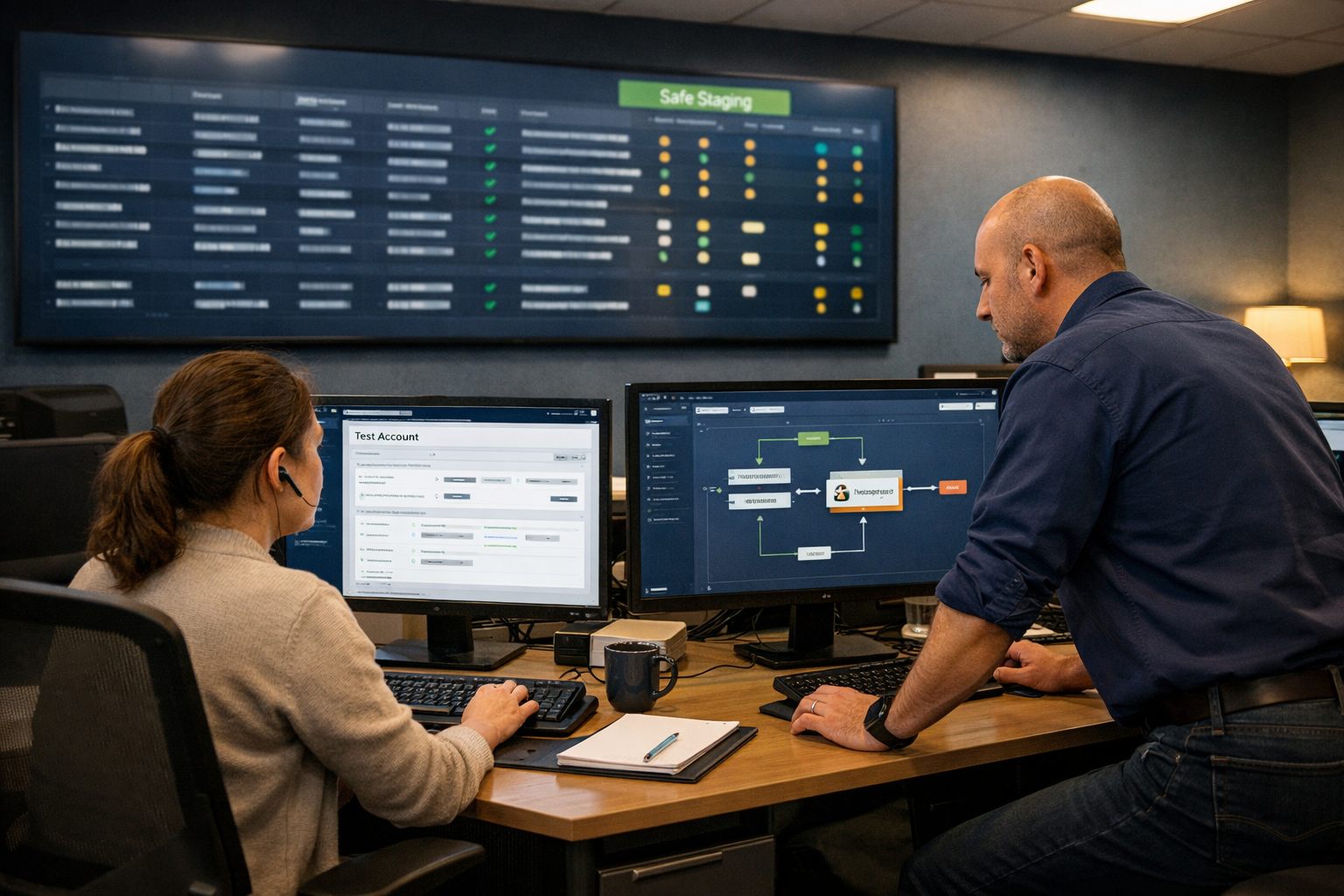
Build a staging setup that can exercise the mapped workflow without reaching a live customer or altering an unmarked production record. Give each test account a controlled inbox or phone endpoint, the same message templates, and role-specific permissions used by the workflow. Test writes should carry an obvious label such as TEST and land in a designated downstream destination, where a reviewer can verify the created task, status change, or handoff.
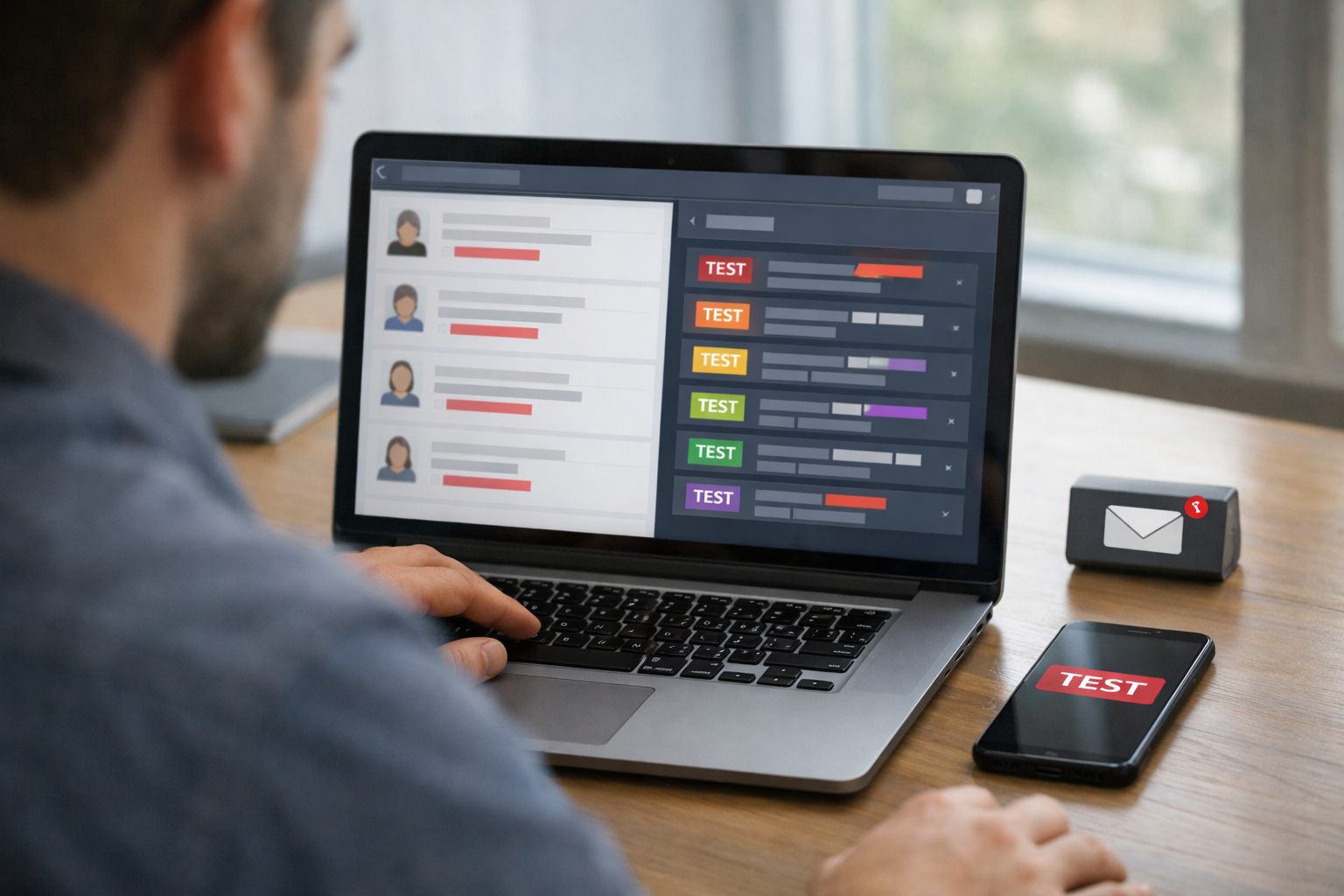
Create a test-data inventory rather than relying on a few clean examples. Include ordinary requests alongside incomplete submissions, contradictory account details, duplicate contacts, sensitive-looking fields, and high-value cases that would require careful handling in production. For each record, define the expected classification, message, write, or stop condition before the run. A pass means the observed result matches that record’s expected outcome at every destination; a plausible-looking message alone is not enough.
Use synthetic test data, invented names, addresses, account histories, and request text, for broad coverage and repeatable scenarios. Use carefully masked historical examples only when realistic wording, field combinations, or data-quality patterns are essential to reproduce a known operational condition. Masking should remove direct identifiers and unnecessary sensitive details while preserving the relationships that affect the workflow’s decision.
Sandbox testing is weak evidence when the sandbox has simplified permissions, mock integrations, instant processing, or spotless records. Make the environment reproduce the production roles, templates, integration paths, timing delays, expected volume, and imperfect inputs that shape actual behavior. Before advancing, prove that a test message cannot be addressed to a real customer and that every downstream update can be located, attributed to its test run, and removed or reset.
Run Happy-Path, Edge-Case, and Negative Tests Against Explicit Expected Outcomes
Turn the inventory into a scenario matrix that makes the correct behavior observable. Each row should contain the input, expected decision, expected customer-visible output, allowed system actions, prohibited actions, observed result, and reviewer sign-off. The expected decision is the workflow’s disposition, such as answer, create a task, pause, decline, or escalate, not merely a plausible AI response. A row passes only when every required field matches and no prohibited action occurs.
Begin with the happy path: complete, unambiguous requests from a single matching account, where the intended response and downstream update are clear. Then broaden the test cases deliberately. Use ambiguous requests to require clarification or human routing; missing fields to require a pause rather than a guessed value; and conflicting account records to require a hold or defined precedence rule. Include unusual language, stale information, duplicate triggers, opt-outs, unsupported requests, and messages that try to override the AI’s role or instruct it to reveal internal instructions.
- Duplicate trigger: expected decision: recognize the prior event; allowed action: attach a record or log the duplicate; prohibited action: send a second message or create a second job.
- Opt-out request: expected decision: stop the conversation flow and route any required internal follow-up; prohibited action: promotional or automated follow-up.
- Insufficient information: expected decision: ask one defined clarifying question, decline, or escalate; prohibited action: invent eligibility, pricing, availability, account status, or a policy answer.
Review AI outputs separately from workflow execution. Score whether the answer is accurate to the supplied record, uses the intended tone, follows the operating policy, makes the required escalation, and avoids unsupported claims. A polished answer that selects the wrong account, implies an unearned commitment, or answers a request outside scope is a failure.
Record results across ordinary and difficult scenarios, including decision accuracy, output defects, and the rate of correct escalations. A few favorable examples are weak evidence. The scenario set is ready to advance only when reviewers can explain every failure, correct the workflow or expectation, and rerun the affected cases to a documented pass.
Prove the Automation Fails Safely When Systems, Data, or Permissions Break
Break the dependencies on purpose before a dependency breaks in front of a customer. Use failure injection: alter one condition at a time in the staging workflow and record the exact containment behavior. Expire the credential, deny the required permission, make the receiving API unavailable, delay a webhook until it arrives out of order, submit a malformed record, replay the same event, stop a write midway, and return a rate-limit response.

Each test needs a defined safe default. If a scheduling API is unavailable, the workflow must not claim that an appointment was booked; it should preserve the request, display a visible failed state, and place the item in an exception queue. If a role lacks permission to update an account, the workflow must make no partial customer-facing change. If a record is malformed, it must reject or hold that record rather than substitute guessed values. “The workflow eventually completed” is weak evidence when the path included an unauthorized update, a missing handoff, or an invisible failure.
- Delayed or duplicate event: preserve the event identifier and test idempotency, meaning a retry produces the intended result once. A retried message send must not create a second email; a retried account update must not apply the change twice.
- Partial write: test whether the workflow can identify which downstream steps succeeded, avoid repeating them, and route the incomplete work for repair.
- Rate limit or outage: test bounded retries with a clear stop condition. Uncontrolled retries can amplify the incident and obscure the original failure.
Pass only when the test leaves a preserved audit trail containing the trigger, attempted action, error, retry status, and final disposition. The failed item must appear in an alert route or manual queue with a named owner, a remediation action, and a way to close the loop. Silent data loss, an unowned error log, or duplicate prevention that works only in a demo is a failed test.
Add Human Approval Gates and Rehearse the Rollback Before Launch
Put a person between the decision and the consequence when the consequence is high-impact or hard to undo. The approval matrix should state which decisions may proceed automatically, which must pause for human approval, and who can approve them. Require manual review for low-confidence AI decisions; access to sensitive information; account, price, payment, or service changes; customer messages with legal or reputational consequences; and any action without a reliable correction path. For example, automatically applying an internal, reversible lead tag may be acceptable; sending a disputed billing response or cancelling a service appointment should wait for an accountable reviewer.

Define the gate as an operational checkpoint, not a vague instruction to “be careful.” Record the confidence or rule threshold that triggers a pause, the information shown to the reviewer, the permitted choices, approve, edit, reject, or escalate, and the maximum time an item may wait. A strong gate produces a dated decision record and prevents the action until approval occurs. A weak gate merely alerts a busy inbox while the workflow continues.
An automation rollback plan must address both work that has not run and work that has already reached another system. Name the incident owner and backup, the trigger for stopping the workflow, and the required recovery window. The containment sequence should:
- stop new runs through a tested kill switch that leaves unrelated operations running;
- disable customer sends and revoke the workflow’s credentials where needed;
- isolate queued or retried work so it cannot resume unexpectedly;
- identify completed actions, then reverse them where possible or create a correction task where they are not reversible; and
- notify the workflow owner, affected operational teams, and the person responsible for customer communication.
Rehearse this sequence with a marked test transaction. Measure the time to stop new actions, locate queued work, correct the completed test action, and notify owners. Record what could not be reversed and the required customer remedy. The workflow is not ready to advance if the team cannot execute those steps within its defined window without improvising access, ownership, or instructions.
Launch to a Small, Observable Customer Segment Before Scaling
After the rollback drill, use the first live exposure as a bounded experiment rather than a quiet switch to full production. Begin with internal-only processing or shadow mode: the workflow evaluates eligible live events and records the event ID, proposed route, proposed response, decision result, and timestamp, while a person performs the customer-facing action. Shadow mode reveals production timing, input variation, and integration behavior without permitting the workflow to send messages, alter records, or close customer work.
Next, run a controlled rollout to a deliberately limited segment. The launch record should name the eligible request type, excluded high-impact cases, volume cap, observation period, customer-impact limit, workflow owner, and on-call decision maker. For example, a lead-routing workflow might handle 25 routine inquiries over five business days, with automated replies and account changes disabled. Choose requests with a clear manual fallback, but do not exclude known troublesome patterns merely to improve the result; those items should remain paused or escalated until corrected and retested.
Set promotion gates before the cohort starts. Compare correct routing, approved-response rate, manual override rate, duplicate-action rate, delivery failures, customer complaints, and time to detect and stop a problem against the pre-launch baseline. Correct routing means the item reaches its intended queue; an override is a reviewer changing the proposed action; a duplicate action is more than one customer-visible action from one trigger. A useful gate names both the threshold and owner: zero duplicate sends, every exception assigned, and routing no worse than the tested baseline.
Stop conditions need equal precision: an unauthorized action, duplicate customer communication, a delivery failure without a safe fallback, a complaint tied to an incorrect action, or containment slower than the agreed window. A failed gate means pause, contain affected work, diagnose the cause, retest the correction, and rerun the limited cohort. Expand only after the accountable owner approves the measured results, increasing one boundary, volume, eligibility, or automation level, at a time.
Treat Production Results as the Next Test Cycle, Not a Final Safety Verdict
A launch baseline is a control reference, not a permanent safety verdict. Treat a changed prompt or model, a new data source, revised policy, integration release, permission change, or a meaningful shift in customer requests as a potential change to the workflow’s assumptions.
Set an ongoing automation optimization rhythm: review every exception and a defined sample of completed customer outcomes, then compare routing accuracy, overrides, duplicates, delivery failures, complaints, and containment time with the launch thresholds. Drift means a measure has moved outside its approved boundary; it calls for investigation rather than automatic expansion.
Retest material changes in staging against the affected scenario, failure, permission, and rollback cases. If the change raises customer impact or reversibility risk, repeat shadow mode or a limited cohort before restoring scale. Managed AI operations should retain the launch decision, approvals, sampled reviews, incidents, overrides, corrective actions, and rollback results. That record keeps ownership clear and turns AI-powered workflow optimization into a controlled operating practice rather than an unattended deployment.
Frequently Asked Questions
-
How do you test an AI automation before deploying it to customers?
Define customer-impacting failure modes and measurable pass/fail thresholds before testing. Map every trigger, decision, permission, system write, customer message, and handoff, then verify each step against documented expected outcomes.
-
What data should you use to test customer-facing automation?
Use synthetic data with invented names, addresses, account histories, and request text for broad, repeatable coverage. Include incomplete submissions, conflicting records, duplicates, sensitive-looking fields, and high-value cases, and use masked historical examples only when real-world patterns are essential.
-
What edge cases should an automation test include?
Test duplicate triggers, opt-out requests, missing information, conflicting accounts, unusual language, stale data, unsupported requests, malformed records, delayed webhooks, API outages, expired credentials, and rate limits. A duplicate-event test should prove idempotency, so retries create one intended result rather than a second email, job, or account update.
-
When should an AI workflow require human approval?
Require approval for low-confidence decisions, sensitive-data access, account, price, payment, or service changes, and customer messages with legal or reputational consequences. The approval gate should stop the action until a named reviewer can approve, edit, reject, or escalate it.
-
What should you look for before expanding an AI automation beyond a small rollout?
Expand only after a limited cohort meets predefined promotion gates, such as zero duplicate sends, every exception assigned, and routing performance no worse than the tested baseline. Pause and contain the rollout if there is an unauthorized action, duplicate customer communication, unsafe delivery failure, complaint tied to an incorrect action, or containment slower than the agreed window.