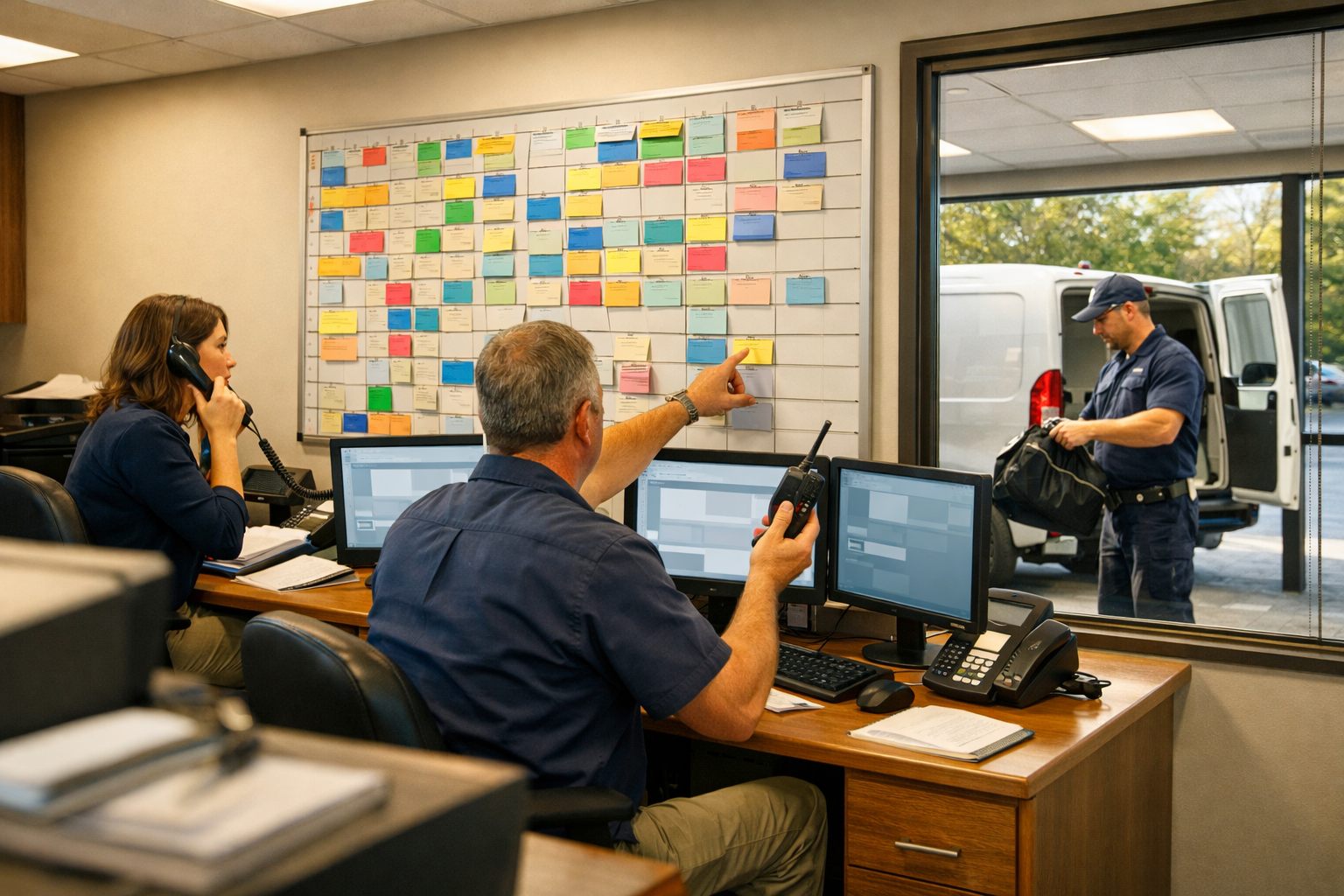
For a plumbing office, AI workflow automation is an operating layer that moves routine work forward reliably, not a replacement for the people running the service business. A new call, missed call, or web inquiry can create a customer record, trigger a prompt acknowledgment, and alert the right queue. From there, connected plumbing business automation can support booking, reminders, technician updates, estimate follow-up, invoicing, payment reminders, and review requests, reducing avoidable handoff gaps and administrative repetition.
The dividing line is control. Automation handles repeatable actions and timely alerts: for example, it can acknowledge a homeowner’s request for a leaking water heater, collect basic details, and flag the request for dispatch. A dispatcher decides whether the situation needs emergency triage, a licensed plumber determines the service approach, and authorized staff approve pricing, exceptions, and any response that requires judgment. Strong AI automation for plumbers uses job and customer data to route work and surface the next action; weak automation sends generic messages, creates disconnected records, or leaves urgent conversations without an owner.
What a Connected Plumbing Automation Workflow Looks Like
A dependable workflow has one continuous record of the customer, job, status, and next owner. Its value is not the individual text, chatbot, or reminder; it is the handoff that prevents a request from stalling between the office, dispatch board, technician, and billing queue.
- A missed call or web form creates or updates the contact record, captures the service need and location, and assigns a follow-up task to the appropriate queue.
- After qualification, dispatch converts the request into a scheduled job; appointment reminders draw from that same job record rather than a separate contact list.
- Status changes from the field, such as en route, on site, estimate sent, or work complete, trigger the appropriate customer update and office task.
- Completion moves the job to invoicing, payment follow-up, and then review outreach, with exceptions routed back to staff instead of receiving the next automatic message.
This is where automated plumbing business workflows differ from disconnected tools. A chatbot that collects a drain-cleaning lead but fails to create a task, sync the contact with the customer relationship management record, or update field service management software has only captured information, not advanced the job. Require status updates, contact matching, and task creation at each handoff so every conversation has a visible owner.
Capture Missed Calls and Web Leads Before Emergency Plumbing Jobs Go Elsewhere
The first response should give the customer a clear next step, even when every CSR is handling live calls. For missed-call recovery, an unanswered call can trigger a brief acknowledgment: “We received your call. Reply with your address, the plumbing issue, and the best callback number.” The workflow then opens a lead record, marks its source as phone, and gives the request an owner rather than leaving it in voicemail.

The same intake structure should apply to after-hours answering, web forms, and chat. Ask only for details dispatch can act on: service address or ZIP code, issue type, property type, callback preference, and a short description of what is happening. Service-area routing separates an in-boundary request from one the company cannot serve; job-type routing can send a water-heater request, drain issue, or commercial inquiry to the appropriate queue.
- A customer reaches voicemail during a busy dispatch window, receives the acknowledgment, and reports an overnight water-heater leak through the reply link.
- The workflow flags the request for the on-call or emergency queue, notifies the designated team member, and creates a callback task with a defined due time, for example, an immediate alert followed by manager escalation if no one accepts it within five minutes.
- The record retains call source, response status, assigned owner, and outcome, so management can see whether leads were answered, routed, booked, or left awaiting action.
Automation can collect details and raise an alert, but it should not decide whether a plumbing situation is safe to wait on, how urgent it is, or whether a technician is actually available. Configure high-risk language, such as active flooding, no water in a critical facility, suspected gas involvement, or sewage backup, to prompt immediate human review. A weak workflow sends the same generic reply to every inquiry; a dependable one makes emergency requests visible to a person who can assess the situation and respond appropriately.
Reduce Manual Scheduling Work While Keeping Dispatchers in Charge
Once a request is qualified, scheduling should turn the customer’s preferred window into a dispatcher-ready option rather than an unreviewed appointment. Plumbing dispatch automation can collect the address, preferred day or time range, job type, and access notes; screen the address against the service territory; then offer a booking link or a small set of proposed windows for routine work.

A drain-clearing request with a flexible weekday window can enter the routine scheduling queue. A same-day leak request should instead remain visible for dispatcher review before any time is promised. The system can send a confirmation after a slot is approved, a reminder before the visit, and a rescheduling link if the customer cannot make the appointment. If a customer does not respond, it should create a follow-up task rather than silently holding capacity.
- When a customer reschedules or cancels, release the opening and offer it to an eligible waitlist customer whose location, job type, and availability fit the gap.
- Write accepted times, customer notes, and appointment status back to the field-service record so the dispatch board reflects the same information the office is using.
- Prepare the job with the issue summary, service address, contact preference, and any prior-work notes, giving the dispatcher a complete record before assignment.
The point is to stop manual scheduling work that consists of repeated data entry and routine chasing, not to automate dispatch judgment. Dispatchers retain authority over job priority, technician skills and fit, estimated duration, route changes, emergency overrides, and real capacity constraints. A strong workflow proposes and updates; a weak one fills open-looking slots without accounting for the realities of the day.
Keep Customers and Technicians Updated From Dispatch to Arrival
The appointment is only a promise until the customer knows who is coming and the technician has the details to arrive prepared. A connected workflow can send a reminder before the service window, then a technician ETA message when dispatch marks the plumber en route: “Your plumber is expected in about 30 minutes. Reply here if gate access or parking instructions have changed.” When the technician changes status to arrived, the customer receives a short arrival update without a separate office call.
Two-way texting should create a managed conversation, not an unattended inbox. Replies such as “Use the side entrance,” “My tenant will meet you,” or “Can you come later?” should attach to the work order and alert the assigned dispatcher or CSR. Set ownership rules for replies that remain unanswered, access problems, delay requests, and a technician’s status change that conflicts with the promised window.
- Prompt the technician before departure with the issue summary, address, contact name, access notes, equipment or fixture details, photos, and relevant prior-work history.
- Use a delay message only after a dispatcher approves the revised expectation: “Your technician is delayed on a prior job and is now expected between 2:00 and 2:30. Reply if that no longer works.”
- Gate customer messaging by recorded opt-in status and set message-frequency controls so routine updates remain useful rather than excessive.
This is plumbing business automation at its most practical: routine updates reduce avoidable back-and-forth, while office staff retain responsibility for exceptions that need a real decision or conversation.
Automate Estimate Follow-Up Without Making It Feel Like a Generic Sales Sequence
An estimate that leaves the technician’s tablet without a next action should enter a follow-up queue, not disappear into a general customer list. When a water-heater replacement, sewer-line repair, recommended fixture repair, or membership discussion is marked as an unsold estimate, the workflow can schedule a tailored first reminder and create an office task for the appropriate owner.
- Personalize the message with the customer’s name, job type, estimate date, and the proposed next step. A useful estimate reminder might say, “You received options for your water-heater replacement on Tuesday. You can review and approve the option here, or reply with a question.”
- Give two clear paths: an approval link that changes the estimate status and alerts scheduling, plus a question link or reply route that assigns a CSR or estimator. Automated customer follow-ups should move the record forward, not merely repeat a sales prompt.
- Apply stop rules immediately when the customer approves, books, declines, or starts a question conversation. This prevents duplicate outreach and keeps a declined repair from receiving poorly timed reminders.
Use automation for routine cadence, but route high-value replacements, complex sewer work, and requests for scope or financing clarification to a person. The practical outcome is consistent follow-through with a human conversation where the customer needs judgment rather than another template.
Move Completed Plumbing Jobs to Payment and Review Requests
Closing a work order should create a billing decision, not leave the office to reconstruct what happened. When a technician marks a drain clearing or water-heater repair complete and submits the approved total, the workflow can create the invoice in the field-service system, sync its status to accounting, and send the customer a payment link. Automated invoicing for service businesses works best when “complete” is a defined trigger: work performed, price approved, and no office hold, not simply a technician’s last job-status update.

- Deliver the invoice separately from the payment reminder. The invoice explains the completed work and balance; a later reminder links back to the same secure payment page if the invoice remains unpaid.
- Use status-based exception handling. A payment question, disputed charge, partial payment, or overdue balance should create an office task and pause routine reminders until a staff member resolves the record.
- Send a review request only after a completed job meets eligibility rules. A successful faucet repair can receive a short request with a direct review link, while any open callback, complaint, billing dispute, or unresolved conversation suppresses the request.
Track invoice delivery, payment-link activity, paid and overdue status, review-request delivery, and suppression reasons. Those signals expose broken handoffs: a generic message sequence may send every customer the same prompt, while dependable plumbing business automation protects service recovery by waiting for the office to close the issue first.
How to Start Plumbing Workflow Automation Without Disrupting Your Existing Systems
Begin where the office feels the most repeatable friction, not with a full-system replacement. Choose one workflow, such as missed-call recovery, and map its trigger, required customer fields, automated message, staff handoff, stop conditions, and success measure. A sound first version turns an unanswered call into a visible lead and callback task; a weak version sends a text without an owner or record.
- Connect the systems that hold the operational record: the phone platform for the call event, the CRM for contact history, and field service management software for customer, job, and dispatch status. The integration should update the existing record rather than create a separate lead list.
- Approve short message templates before launch. Define which wording is automatic, which replies route to a CSR, and who can change a template for estimate, scheduling, invoice, or review workflows.
- Test exceptions deliberately: an emergency description, duplicate lead, rescheduled job, unhappy customer reply, and failed payment link should each pause or route the workflow to a named person.
When evaluating automation for plumbing companies, prioritize two-way conversation visibility so replies do not disappear, routing controls that assign queues and escalation paths, and human override controls that let dispatch stop or amend an action. Also require role-based security, consent-management records, and reporting that shows trigger volume, delivery failures, response times, handoff completion, and exceptions. Assign one owner for message approval, one for dispatch exceptions, one for customer-service escalation, and one for weekly reporting review. Expand to scheduling, estimate follow-up, invoicing, or reviews only after the first workflow produces clean records and accountable handoffs.
Frequently Asked Questions
-
How can AI automation help a plumbing company answer missed calls?
A missed call can automatically create or update a lead record, send a brief acknowledgment, and assign a callback task to the correct queue. For urgent requests, the workflow can alert the on-call team immediately and escalate to a manager if nobody accepts the task within five minutes.
-
What plumbing workflows should be automated first?
Start with a repeatable, high-friction workflow such as missed-call recovery. Define the trigger, required customer fields, automated message, staff owner, stop conditions, and success measure before expanding into scheduling, estimates, invoicing, or review requests.
-
Can AI help dispatch plumbers and send technician ETA updates?
AI can collect job details, service address, preferred time range, and access notes, then route routine jobs into a dispatcher-ready scheduling queue. When dispatch marks a technician en route, the system can send an ETA update, while dispatchers retain control over priorities, skills, routes, emergencies, and actual capacity.
-
How does automated invoicing work for a plumbing business?
When a technician marks work complete, confirms the approved total, and there is no office hold, the workflow can create an invoice, sync its status to accounting, and send a secure payment link. Payment questions, disputes, partial payments, and overdue balances should create an office task and pause routine reminders.
-
What should a plumbing company look for in AI automation software?
Choose software that connects phone events, CRM contact history, and field service management records without creating separate lead lists. Look for two-way conversation visibility, queue routing, escalation paths, human override controls, role-based security, consent records, and reporting on response times, delivery failures, handoff completion, and exceptions.