
Is Your Business Ready to Automate? Start With the Workflow, Not the Tool
Before choosing a platform, assess the work itself. Automation should follow a stable, repeatable workflow: one with clear inputs, routine decision rules, an accountable owner, usable records, and a result you can measure. When those conditions are absent, a new tool can make an inconsistent process move faster without making it better.
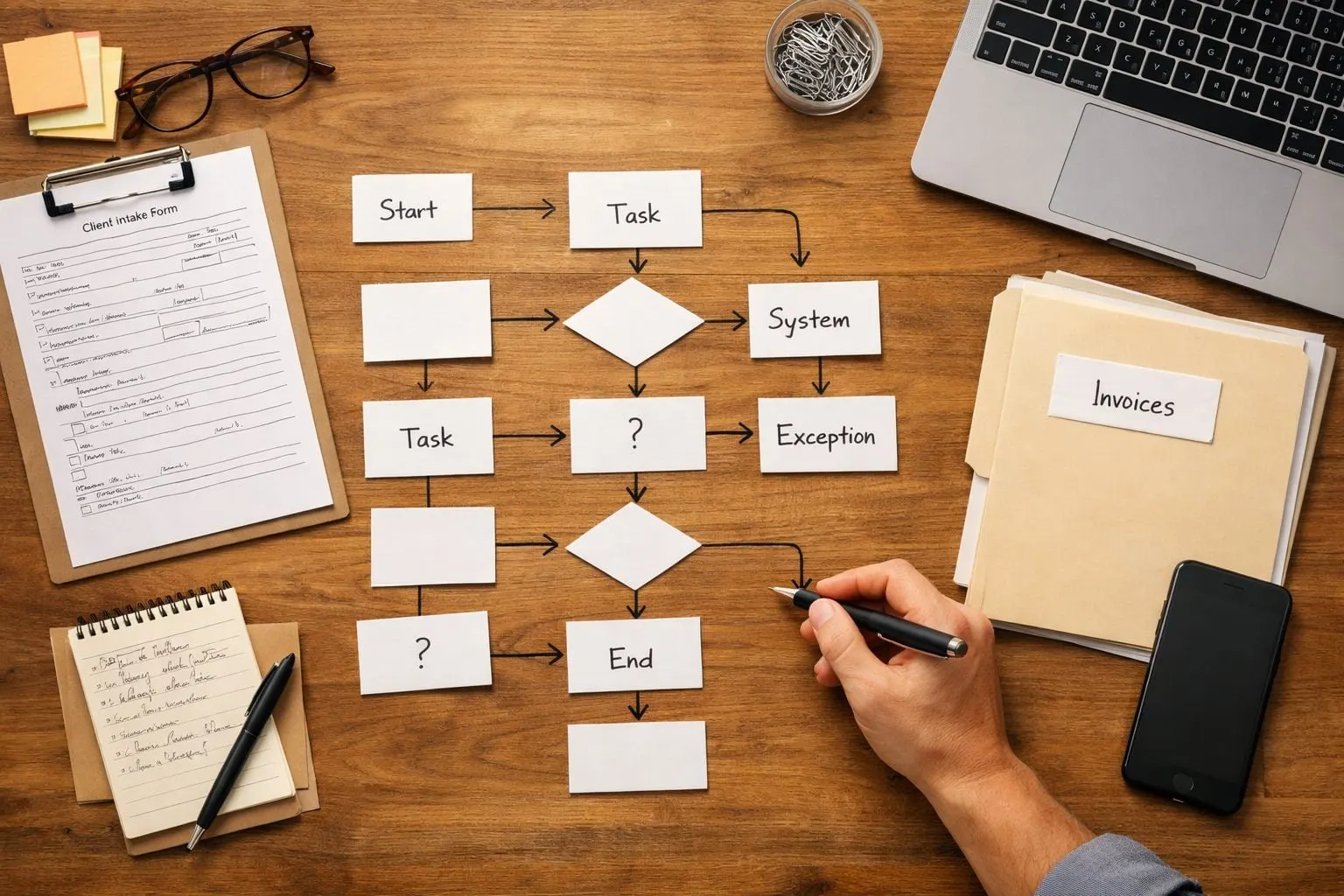
An AI workflow audit turns that distinction into observable checkpoints: Is the process written down? Does the same work happen often enough to matter? Do records live in a usable system? Is follow-up missed or delayed? Can one owner define success? Lead follow-up is stronger when every inquiry enters the same system, follows a defined first-response path, and has one person responsible for conversion. It is weaker when leads sit in scattered inboxes, staff choose next steps differently, and no one can tell whether a response occurred.
This business automation readiness scorecard helps you choose the right move before you invest:
- Automate now means the work is frequent, consistent, owned, and measurable, supporting a focused first project.
- Standardize first means the task is valuable but people perform it differently; establish one repeatable path before automating it.
- Repair systems and data means incomplete, duplicate, or scattered records would give an automation unreliable inputs.
- Get expert audit support means the bottleneck, handoffs, ownership, or priority workflow is still unclear and needs mapping before a tool is selected.
The objective is practical operational improvement rather than generic AI: faster lead response, fewer missed handoffs, lower administrative workload, and more consistent throughput.
How to Use the AI Workflow Audit Scorecard
Choose one workflow that creates visible friction, not an entire department. Good starting points include responding to new leads, booking appointments, onboarding a client, chasing invoices, processing orders, or routing internal requests. Keep the scope narrow: “respond to web leads within one business day” is assessable; “improve sales” is not.
For each line in the AI workflow audit scorecard, assign the score that describes today’s operating reality:
- 0, weak or absent: no consistent evidence exists. For example, staff cannot show the usual steps, records are scattered, or nobody owns the result.
- 1, partial: part of the process works, but execution depends on individual habits, incomplete data, or occasional manual recovery.
- 2, strong and observable: the steps, handoffs, records, owner, and outcome can be seen and described consistently.
Add the points as you complete the workflow readiness assessment. Score the current process, not the version you intend to create after automation. An honest low score exposes the workflow bottlenecks to resolve first; a strong score identifies a clearer candidate for a focused project.
The 10-Point Automation Readiness Scorecard
Treat each point as a diagnosis, not a pass/fail label. The five criteria below reveal whether the constraint is insufficient work to justify a project, an unstable process, unclear handoffs, unreliable systems, or missing accountability. Score the workflow as it runs today for a total out of 10.
-
1. Volume and manual workload (0–2 points)
This measures how often the work occurs and how much staff time it consumes. Volume matters because a repeatable task performed many times, such as logging every web inquiry in a CRM or sending appointment reminders, creates more opportunity to remove administrative effort and missed follow-up.
- 0: The task is rare, takes little time, or its burden cannot be described. Example: staff say reporting is “annoying,” but cannot estimate how often it happens or who does it.
- 1: The work happens regularly, but volume varies widely or only some of it is manual. Example: a coordinator follows up with leads, though the number of leads changes substantially and some are already handled automatically.
- 2: The task occurs frequently, has a visible manual burden, and the team can count it. Example: staff copy every completed intake form into two systems each business day.
Feasibility implication: A 0 usually means choose a more consequential workflow. A 1 may support a narrowly scoped improvement. A 2 provides a clearer baseline for assessing time, workload, and follow-up gaps.
-
2. Repeatability and stable decision rules (0–2 points)
This tests whether the workflow follows consistent steps and decisions. Stable rules tell a system what to do under known conditions: “if a lead selects emergency service, notify the on-call dispatcher” is a rule. “Decide whether this client is likely to be difficult” depends on nuanced human judgment.
- 0: Each case is handled differently, key decisions live in someone’s head, or the process changes from week to week.
- 1: A usual sequence exists, but staff routinely improvise around unclear categories, approvals, or customer circumstances.
- 2: Most cases follow the same trigger, steps, routing rules, and completion condition; unusual cases are identifiable rather than hidden in the normal flow.
Feasibility implication: A 0 calls for standardization before automation. At 1, automate only the stable portion and retain a human decision point. At 2, the workflow is suitable for a focused build with defined exception paths.
-
3. Process documentation and clear handoffs (0–2 points)
This measures whether someone can show the normal sequence from trigger to outcome, including who receives work next. Clear handoffs prevent a lead, document, request, or status update from disappearing between sales, operations, and administration.
- 0: The process is tribal knowledge. A team member says, “Ask Maria; she knows what happens next,” and different people describe different steps.
- 1: A checklist, email template, or partial process documentation exists, but it omits decision points, ownership changes, or what counts as complete.
- 2: The team can map the trigger, inputs, sequence, handoffs, exception route, and finish line. For example, a signed proposal creates an onboarding task, assigns an owner, and records when setup is complete.
Feasibility implication: A 0 or 1 identifies a mapping task before any build work. A 2 gives automation a dependable blueprint and makes missed handoffs easier to detect.
-
4. Data, source of truth, and system access (0–2 points)
This criterion asks whether the workflow uses reliable information in a known system. A source of truth is the record the team treats as authoritative, for example, the CRM for lead status or the scheduling platform for appointment times. System access means the needed information can be retrieved and updated without staff rekeying it from screenshots, inboxes, or private spreadsheets.
- 0: Records conflict across inboxes, spreadsheets, and apps; required fields are frequently blank; or staff cannot identify the current record.
- 1: One primary system exists, but duplicates, inconsistent status labels, or manual exports regularly require cleanup.
- 2: Required fields are consistently captured, the authoritative system is clear, and the workflow can reliably read or write the needed records.
Feasibility implication: A 0 requires data cleanup and system decisions first. A 1 may support automation with validation and human review. A 2 reduces the risk that an otherwise sound workflow acts on stale or conflicting information.
-
5. Ownership, exceptions, and success metrics (0–2 points)
This measures operational control: one person is accountable for the result, unusual cases have a destination, and success can be observed. Ownership is not merely the person who clicks buttons; it is the person empowered to resolve breakdowns. A metric might be lead-response time, appointments booked, requests completed without rework, or overdue invoices followed up.
- 0: Nobody owns the outcome, exceptions sit in an inbox, and the team cannot say whether the workflow improved.
- 1: An informal owner handles problems, but escalation is inconsistent or the team tracks only activity, such as emails sent, rather than the result.
- 2: A named owner reviews exceptions, a defined human route exists for cases outside the rules, and one or more outcome measures are recorded before changes begin.
Feasibility implication: A 0 is an accountability problem before it is a technology problem. A 1 needs explicit exception handling and a baseline metric. A 2 supports a controlled automation effort that can be monitored, improved, and kept reliable after launch.
Keep the five individual scores beside the total. A workflow with strong volume but weak data needs a different next step than one with clean systems but no stable decision rules; the gaps identify what to repair rather than obscuring it behind a single number.
What Your Score Means, and the Right Next Step
Your total points to the work that will create the safest, most useful next move, not to a verdict on your business.
- 0–3: Fix the foundation. The workflow is likely inconsistent, poorly owned, or dependent on conflicting records. Map the current steps, assign an outcome owner, choose a source of truth, and capture the fields needed to complete the work. For example, define where every new lead is recorded before attempting automated follow-up. Do not buy a tool or automate exceptions that the team cannot yet recognize.
- 4–6: Standardize and validate one workflow. A repeatable core exists, but staff may use different statuses, handoffs, or decision rules. Write the standard path, define the few exceptions, clean the recurring data issue, and run the process consistently long enough to measure it. This is where automation feasibility improves through operational discipline. Do not attempt an end-to-end rollout across several workflows.
- 7–8: Prepare a focused automation pilot. The workflow has sufficient structure, usable data, and accountable ownership, while a few details still need testing. Select one trigger, one desired outcome, and a human route for exceptions, for instance, routing complete intake forms to the right coordinator while flagging incomplete submissions. Set a baseline metric and test the pilot with a limited group. Do not expand scope before the team can review results and resolve edge cases.
- 9–10: Prioritize implementation planning. This is a strong automation opportunity: the work is frequent, stable, measurable, and controlled. Define the implementation sequence, responsibilities, exception monitoring, adoption plan, and success measures before launch. AI-powered workflow optimization should improve a specific operational result, not add another dashboard. Do not treat a high score as permission to automate every adjacent task at once.
If your score is below seven, preparation is the right outcome. If it is seven or above, move into a focused workflow audit and implementation plan built around the highest-value process first.
Estimate ROI Only After the Workflow Is Ready
A high readiness score establishes feasibility; it does not establish a return. An automation ROI assessment becomes credible only after you capture the workflow’s current baseline, such as faster lead response, fewer missed handoffs, lower administrative workload, or more consistent throughput, rather than assuming a savings percentage.

- Workload: Count the workflow volume for a defined period, such as the number of web leads received in four weeks, and time 10 typical tasks from intake to CRM update. Volume multiplied by average minutes per task identifies the labor effort available to improve.
- Cost of the current gap: Add loaded labor cost to observable rework, missed handoffs, and delay costs. For lead handling, record actual lead response time, late follow-ups, and inquiries that receive no response.
- Realization: Estimate expected adoption: the share of eligible work that will follow the new route. If staff still text leads, use side spreadsheets, or bypass required fields, the model must exclude that work rather than count it as automated.
- Investment: Include implementation, training, process changes, software, monitoring, and ongoing maintenance, not only the initial build.
The calculation is straightforward: compare avoided labor and measurable loss, adjusted for adoption, with full implementation and maintenance cost. Defined steps, reliable records, and one outcome metric create a testable business case; guessed volume or untracked results indicate potential value only.
When a Workflow Is a Poor Candidate for Automation
Some work deserves a redesign before it receives an automation budget. A task completed only a few times a month rarely creates enough repeatable value to justify a build and ongoing maintenance. A process that changes every week, or depends on a manager weighing context, relationships, and unusual risk, needs human judgment, not a rigid automated path.

- Unreliable inputs: If staff copy incomplete details from emails, spreadsheets, and texts, clean up the data and establish one source of truth before routing work automatically.
- No accountable owner: If nobody can decide what happens when a record is wrong or a customer does not respond, assign a process owner first.
- Exceptions are the normal case: When nearly every intake, schedule change, or document request follows a different path, create standard operating procedures that define the common path and escalation rules.
- The experience is already broken: Faster reminders will not fix confusing forms, duplicate requests, or a handoff customers must repeat. Redesign the service journey before automating it.
These are not permanent limits. Process repair, SOP creation, data cleanup, and service redesign can turn a poor-fit workflow into a viable future candidate.
Turn Your Score Into a Practical Automation Roadmap
Bring your completed scorecard to a discovery call when the total or individual gaps still leave the next move uncertain. Guided workflow audit services turn that snapshot into an operating plan: map triggers, handoffs, decisions, systems, and exceptions; identify delay and rework; and review whether the process and its records can support the intended flow.
Prioritization separates an attractive idea from a feasible first project. For example, an audit may rank immediate web-lead acknowledgement ahead of end-to-end sales automation when leads have a consistent owner and timestamp, but sales stages still vary by representative. It should establish baseline volume, handling time, failure points, and one success measure, then weigh implementation effort, ongoing maintenance, and expected team adoption.
A useful AI workflow audit ends with a phased recommendation: repair the foundation, standardize the workflow, run a focused pilot, or proceed with a defined build. Request an audit or bring your scorecard to a discovery call for clarity on the next best action, not a preselected technology solution. The aim is practical improvement: faster lead response, fewer missed handoffs, lower administrative workload, and more consistent throughput.
Frequently Asked Questions
What is an AI workflow audit?
An AI workflow audit evaluates whether a specific business process is stable, repeatable, owned, measurable, and supported by usable records before automation begins. It examines volume, decision rules, documentation, data systems, ownership, exceptions, and success metrics.
How do I score my business’s readiness for workflow automation?
Score one workflow across five criteria: manual workload, repeatability, process documentation, data and system access, and ownership with metrics. Give each criterion 0, 1, or 2 points for a total score out of 10 based on the process as it operates today.
Do I need documented processes before implementing AI automation?
Yes, the workflow should have a documented trigger, inputs, steps, handoffs, exception route, and completion condition before implementation. A score of 0 or 1 for documentation and handoffs means the process should be mapped and standardized before build work begins.
How is an automation ROI assessment calculated?
Calculate the current labor effort by multiplying workflow volume by average minutes per task, then add measurable rework, missed handoffs, and delay costs. Compare avoided costs adjusted for expected adoption against implementation, training, software, monitoring, and maintenance costs.
How do I choose whether to automate a workflow now or standardize it first?
A score of 7 to 8 supports a focused pilot, while 9 to 10 supports implementation planning for a frequent, stable, measurable workflow. Scores of 4 to 6 require standardizing rules, handoffs, and recurring data issues first, while scores of 0 to 3 require foundational process, ownership, and data repairs.